EasyManua.ls Logo

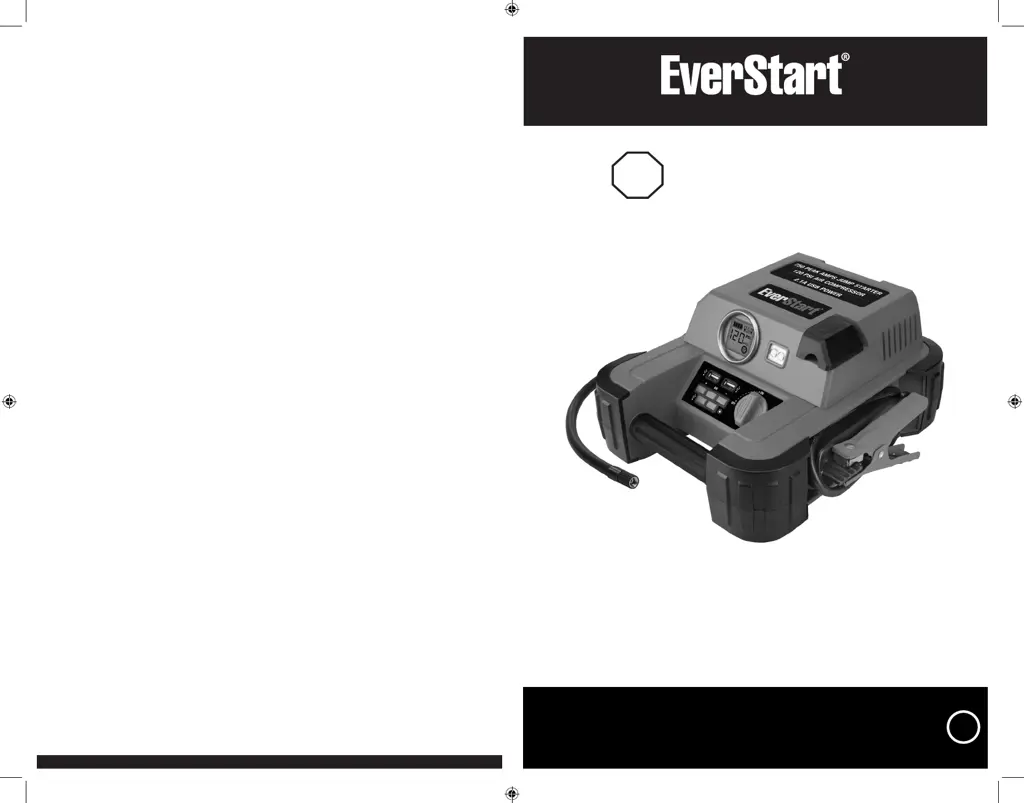
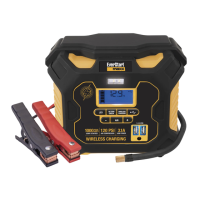
EverStart JUS750CE - User Manual

EverStart JUS750CE
12 pages
Print Icon
To Next Page IconTo Next Page
Loading...
24
Model number JUS750CE
Help
Questions?
Call customer service hotline
1-877-571-2391
750 PEAK BATTERY AMPS
JUMP STARTER WITH COMPRESSOR
SAVE THIS INSTRUCTION MANUAL FOR FUTURE REFERENCE.
© 2020 Baccus Global LLC
Boca Raton, FL 33487 (877) 571-2391
BC
JUS750CE_Manual_ENSP_042820.indd 24-1JUS750CE_Manual_ENSP_042820.indd 24-1 4/29/2020 2:16:32 PM4/29/2020 2:16:32 PM

Questions and Answers

  • M
    Mary WeaverJul 26, 2025
    How to fix an EverStart JUS750CE that will not charge?
    • S
      Samuel NewmanJul 26, 2025
      If your EverStart Remote Starter unit won't charge, ensure all its functions are turned off. Also, make sure a suitable gauge extension cord is properly connected to both the unit and a functioning AC outlet.
  • S
    Seth WilliamsJul 31, 2025
    What to do if my EverStart JUS750CE Remote Starter fails to jump-start?
    • V
      velezjonathanJul 31, 2025
      If your EverStart Remote Starter fails to jump-start, ensure it is not in Compressor mode. Also, confirm the jump-starter power switch is in the 'on' position and that you've established a proper polarity cable connection. Finally, check that the unit has a full charge; recharge if needed.
  • B
    Brenda TaylorAug 7, 2025
    Why won't the portable compressor on my EverStart JUS750CE Remote Starter inflate?
    • J
      Jason GloverAug 7, 2025
      If the portable compressor of your EverStart Remote Starter won't inflate, be sure it's not in Jump Starter mode. Check that the compressor power button is on and that the Sure Fit® nozzle connector is securely screwed onto the valve stem (or that the nozzle adapter is properly connected for other inflatables). If it overheats, turn it off and let it cool for about 30 minutes before restarting. Also, ensure the unit has a full charge.
  • T
    Troy GreerAug 12, 2025
    Why won't the USB power port on my EverStart JUS750CE Remote Starter power my device?
    • N
      Natalie RamirezAug 13, 2025
      If the USB power port on your EverStart Remote Starter isn't working, and the Fault Icon on the LCD screen is flashing, refer to the Important Notes in the “USB Ports” section to remedy any faults. Ensure the total draw of all USB devices plugged in doesn't exceed 2.1A. Some USB-powered devices might not be compatible, so check their manuals. Also, verify the USB power button is on and that the unit has a full charge.
  • A
    Antonio LewisAug 19, 2025
    What to do if the LED area light does not come on on my EverStart JUS750CE Remote Starter?
    • P
      Patrick TrujilloAug 19, 2025
      If the LED area light on your EverStart Remote Starter doesn't come on, first make sure the area light power button has been pressed. Also, check that the unit has a full charge and recharge it if necessary.

Summary

Digital LCD Screen

Safety Guidelines and Definitions

Risk of Unsafe Operation

Basic safety precautions to reduce personal injury risk when using tools.

Important Safety Instructions

Crucial guidelines for operating the jump starter safely.

General Safety Warnings and Instructions

General precautions covering environmental risks, personal safety, and proper usage.

Specific Safety Instructions for Charging This Unit

Safety guidelines specific to charging the unit, including extension cord use.

Specific Safety Instructions for Jump Starters

Safety rules and warnings for using the jump starter function.

Specific Safety Instructions for Compressors

Safety instructions related to operating the air compressor function.

First Aid

Immediate assistance procedures in case of accidents with lead acid batteries.

Overview

Common Actions and Unit Responses

Explains how the unit responds to user actions and button presses.

Viewing Battery Status

Jump-Starter

LED Area Light

USB Ports

Using the USB Ports

Instructions on how to connect and use USB devices for power.

Portable Compressor

Inflating Tires or Products with Valve Stems

Step-by-step guide for inflating tires and items with valve stems.

Inflating Other Inflatables Without Valve Stems

Instructions for inflating items that require a nozzle adapter.

Care and Maintenance

Battery Replacement;Disposal

Information on battery maintenance, replacement, and proper disposal.

Troubleshooting

Appendix

Specifications

Technical details and specifications of the jump starter.

EverStart JUS750CE Specifications

General IconGeneral
BrandEverStart
ModelJUS750CE
CategoryRemote Starter
LanguageEnglish

Related product manuals