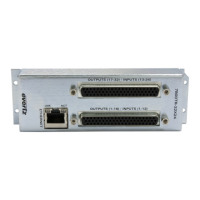
7800 MultiFrame Manual
7800FC VistaLINK® Frame Controller
Revision 1.0
TABLE OF CONTENTS
1. OVERVIEW .................................................................................................................................. 1
2. INSTALLATION............................................................................................................................ 2
2.1. INSTALLING THE MODULE REAR PLATE ......................................................................... 2
2.2. INSTALLING AND REMOVING THE MODULE .................................................................... 4
2.3. REAR PANEL CONNECTIONS ............................................................................................ 5
2.3.1. Ethernet Connection .................................................................................................. 5
2.3.2. GPI/O Connections .................................................................................................... 7
2.3.3. Serial I/O Connections ............................................................................................... 7
2.4. REPLACING THE BATTERY ............................................................................................... 7
2.4.1. Safety Guidelines and Precautions Concerning the Use of 3V Lithium Batteries ........... 8
3. SPECIFICATIONS ........................................................................................................................ 9
3.1. ETHERNET ......................................................................................................................... 9
3.2. SERIAL I/O .......................................................................................................................... 9
3.3. ELECTRICAL ...................................................................................................................... 9
3.4. PHYSICAL (NUMBER OF SLOTS) ....................................................................................... 9
4. STATUS INDICATORS............................................................................................................... 10
4.1. MODULE STATUS LEDS .................................................................................................. 10
4.2. DOT-MATRIX DISPLAY ..................................................................................................... 11
5. JUMPERS .................................................................................................................................. 12
5.1. SELECTING WHETHER LOCAL FAULTS WILL BE MONITORED BY THE GLOBAL
FRAME STATUS ............................................................................................................... 12
5.2. CONFIGURING THE MODULE FOR FIRMWARE UPGRADES........................................... 12
6. CONFIGURING THE FRAME CONTROLLER ............................................................................. 13
6.1. ESTABLISHING COMMUNICATION WITH THE FRAME CONTROLLER ........................... 13
6.1.1. Connecting the Computer to the Card Edge Serial Port ............................................. 13
6.1.2. Terminal Program Setup .......................................................................................... 13
6.2. CONFIGURING THE NETWORK SETTINGS ..................................................................... 14

 Need help?
 General

 To Next Page