EasyManua.ls Logo

evertz VistaLINK 7801FC - User Manual

evertz VistaLINK 7801FC
30 pages
Print Icon
To Next Page IconTo Next Page
Loading...
7801 MultiFrame Manual
7801FC VistaLINK
®
Frame Controller
Revision 1.0 Page - i
TABLE OF CONTENTS
1. OVERVIEW .................................................................................................................................. 1
2. INSTALLATION............................................................................................................................ 2
2.1. REAR PANEL CONNECTIONS ............................................................................................ 2
2.1.1. Ethernet Connection .................................................................................................. 2
2.1.2. Serial I/O Connections ............................................................................................... 4
2.2. REPLACING THE BATTERY ............................................................................................... 4
2.2.1. Safety Guidelines and Precautions concerning the Use of 3V Lithium Batteries ............ 4
3. SPECIFICATIONS ........................................................................................................................ 5
ETHERNET .................................................................................................................................. 5
3.1. ELECTRICAL ...................................................................................................................... 5
3.2. PHYSICAL (NUMBER OF SLOTS) ....................................................................................... 5
4. STATUS LEDS ............................................................................................................................ 6
4.1. MODULE STATUS LEDS .................................................................................................... 6
4.2. ETHERNET STATUS LEDS ................................................................................................ 6
5. JUMPERS .................................................................................................................................... 7
5.1. SELECTING WHETHER LOCAL FAULTS WILL BE MONITORED BY THE GLOBAL
FRAME STATUS ................................................................................................................. 7
5.2. CONFIGURING THE MODULE FOR FIRMWARE UPGRADES............................................. 7
6. CONFIGURING THE FRAME CONTROLLER ............................................................................... 8
6.1. ESTABLISHING COMMUNICATION WITH THE FRAME CONTROLLER ............................. 8
6.1.1. Connecting the Computer to the Card Edge Serial Port ............................................... 8
6.1.2. Terminal Program Setup ............................................................................................ 8
6.2. CONFIGURING THE NETWORK SETTINGS ....................................................................... 9
6.2.1. Network Setup ......................................................................................................... 10
6.2.2. SNMP Setup ........................................................................................................... 12
6.2.2.1. SNMP V1 Setup ......................................................................................... 12
6.2.2.2. SNMP V3 Setup ......................................................................................... 13
6.2.3. Exiting the Setup Menu ............................................................................................ 15
7. UPGRADING THE FRAME CONTROLLER IMAGE VISTALINK
®
................................................ 17
Follow these instructions to establish a connection to the Frame Controller and program a local IP
address to permit Vistalink Pro acess for setup and frame sync timing


Table of Contents

Question and Answer IconNeed help?

Do you have a question about the evertz VistaLINK 7801FC and is the answer not in the manual?

Overview

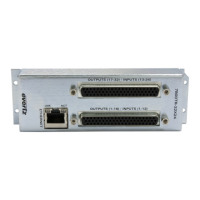
The Evertz 7801FC VistaLINK® Frame Controller is a crucial component for managing and communicating with VistaLINK®-capable modules within an Evertz 7801FR frame. It acts as a central gateway, facilitating all Simple Network Management Protocol (SNMP) communications between the frame and a network management system (NMS). This allows for comprehensive monitoring and control of individual cards installed in the frame.

Function Description:

The primary function of the 7801FC is to provide a single point of access for communication with all SNMP-enabled modules in the 7801FR frame. It handles the SNMP traffic, serving as a bridge between the frame's internal components and the external network manager. This enables users to monitor the status of modules, configure their settings, and perform firmware upgrades across the entire frame. The controller also provides essential frame and chassis status information, including power supply status, card insertion/removal counters, and version details.

The 7801FC supports various Ethernet standards, including 10Base-T, 100Base-TX, and 1000Base-T, with data transfer rates selected through auto-negotiation. It can operate in both full-duplex and half-duplex modes, also determined by auto-negotiation. This flexibility ensures compatibility with different network environments.

For configuration and management, the 7801FC offers both a serial interface and a built-in WebEASY® web interface. The serial interface allows for initial setup and firmware upgrades using a terminal program, while the WebEASY® interface provides a user-friendly graphical interface for ongoing management through a standard web browser.

Important Technical Specifications:

  • Network Type:
    • Gigabit Ethernet 1000 Base-T (IEEE 802.3ab standard for 1000Mb/s baseband CSMA/CD local area network)
    • Fast Ethernet 100 Base-TX (IEEE 802.3u standard for 100Mb/s baseband CSMA/CD local area network)
    • Ethernet 10 Base-T (IEEE 802.3 standard for 10Mb/s baseband CSMA/CD local area network)
  • Connector: RJ-45 for Ethernet connection.
  • Electrical:
    • Voltage: +12V DC
    • Power: 8W
    • EMI/RFI: Complies with FCC Part 15, Class A; EU EMC directive
  • Physical (Number of Slots): 0 (User dedicated slot) – This indicates it occupies a dedicated slot in the 7801FR frame, not a user-configurable slot.
  • Serial I/O: 9-pin female 'D' connector for computer connection (currently not used for normal operation, primarily for setup and upgrades).
  • Maximum Cable Run:
    • Between 7801FC and supporting hub: 300 ft (100 m)
    • Combined cable run between any two end points (e.g., 7801FC and PC/laptop via network hub): 675 feet (205 m)
  • Battery: 3V Lithium battery type CR2032 for non-volatile memory.

Usage Features:

  • SNMP Communication: The 7801FC is the central hub for SNMP communication, enabling the NMS to interact with all VistaLINK®-capable modules in the frame.
  • Firmware Upgrades: Supports "ftp" upgrades for frame-wide firmware updates, ensuring the system stays current with the latest features and bug fixes. Two main procedures are available:
    • Remote Upgrade via VistaLINK®: Requires a VistaLINK® Pro client (version 10.0.7 or greater) and a downloaded FC image file. This method involves selecting the firmware file through the VistaLINK® interface and initiating the upload. DHCP mode must be disabled for this procedure.
    • Serial Card Edge Upgrade: A more direct method using a serial connection and a terminal program (e.g., HyperTerminal). This involves setting the module to "Upgrade Mode" via a jumper, sending boot loader and firmware files using Xmodem protocol, and then rebooting the module. This method is crucial if the remote upgrade is interrupted or fails.
  • VistaLINK®PRO (VLPRO-C) Integration: Includes the VLPRO-C module software configuration tool, providing a comprehensive interface for managing module settings.
  • Frame/Chassis Status: Provides detailed status information through VistaLINK®, including power supply status, overall frame status, and counters for card insertions and removals.
  • Network Configuration: Configurable network settings (IP Address, Netmask, Gateway, Broadcast) via a serial terminal interface. DHCP can be enabled or disabled for automatic IP assignment.
  • SNMP Setup: Allows configuration of SNMP V1 and V3 settings, including community strings (for V1), trap destination IP addresses (up to ten), and user setup for V3 (defining access rules, authentication, encryption, and OID restrictions).
  • WebEASY® Web Interface: A built-in web server provides an intuitive graphical interface for managing the 7801FC and WebEASY®-supported products. It displays a list of all products in the frame, their firmware versions, and allows for firmware upgrades of compatible cards directly through the browser. The default login credentials are "customer" for both username and password.
  • LED Indicators:
    • Card Edge LEDs: Indicate module fault, microprocessor state, activity, and link status.
    • Rear Panel LEDs: Monitor Ethernet link, activity, and speed (10/100/1000Base-T). The 10/100/1000 LED shows amber for 1000Base-TX, green for 100Base-TX, and is off for 10Base-T (when LINK LED is ON). The LN/ACT LED is green when a valid link is established and blinks during data transmission.

Maintenance Features:

  • Battery Replacement: The 7801FC contains a 3V Lithium battery (CR2032) to power non-volatile memory. Instructions are provided for safe replacement, emphasizing the need to remove power from the card and replace with the same or equivalent type to prevent explosion hazards. Strict safety guidelines regarding battery handling (polarity, no heating/charging, no disposal in fire, no dismantling, no short-circuiting, no exposure to high temperatures/moisture/direct sunlight, no placement on conductive surfaces) are detailed.
  • Jumper Settings:
    • BUS Jumper (J8): Determines whether local faults on the module are monitored by the global frame status bus. Default is "ON" to monitor faults.
    • UPGRADE Jumper (J4): Used to set the module to "Upgrade Mode" for firmware updates. For normal operation, it should be in the "RUN" position.
  • Troubleshooting: The manual provides guidance for troubleshooting communication failures during initial setup, including checking the serial upgrade cable, communication port selection, and terminal program settings. It also advises on checking boot-up messages in HyperTerminal to confirm connectivity during serial upgrades.

evertz VistaLINK 7801FC Specifications

General IconGeneral
Brandevertz
ModelVistaLINK 7801FC
CategoryController
LanguageEnglish

Related product manuals