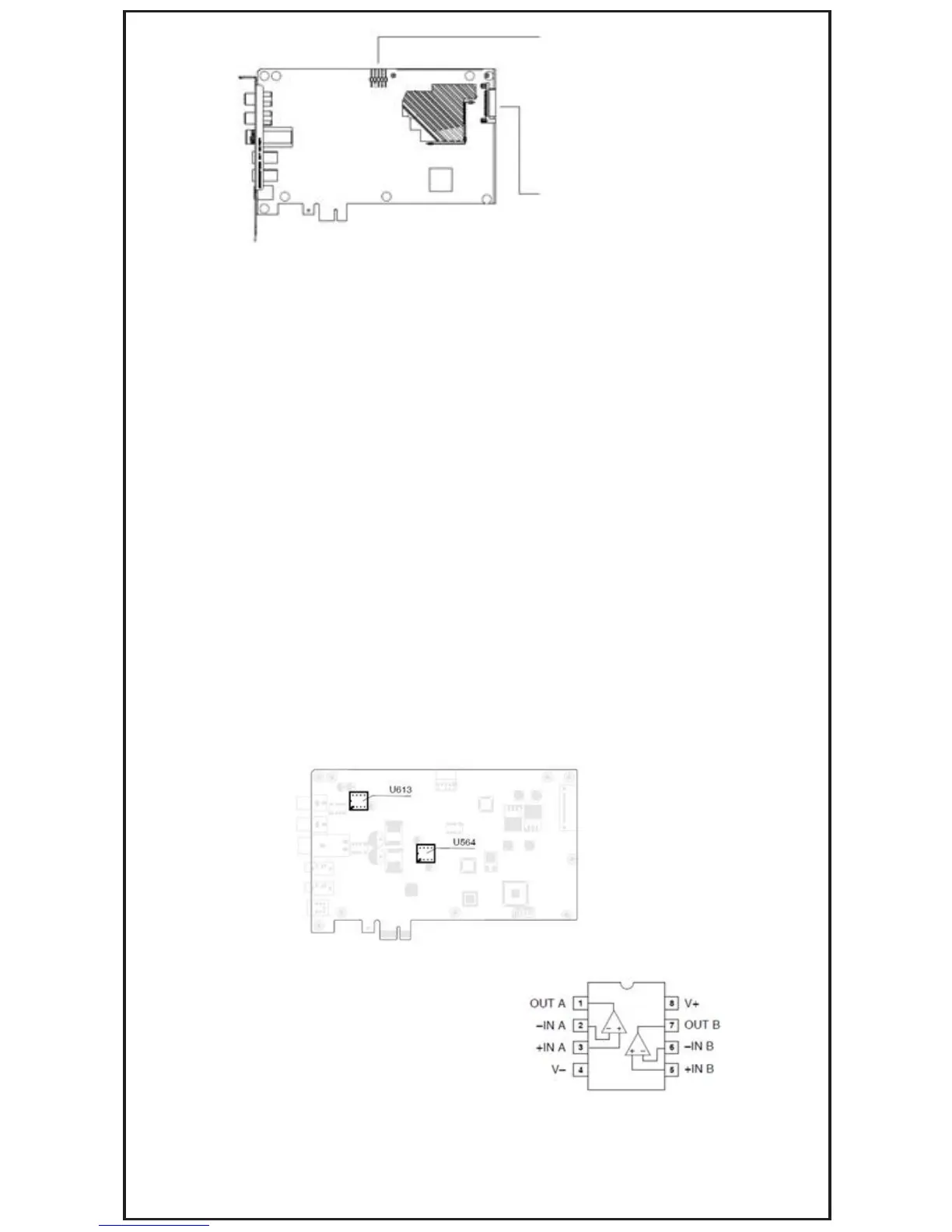
Front Panel Header
SATA Power Connector
Minimum System Requirements
To ensure a successful installation of the EVGA Nu Audio, your computer must meet the
following requirements:
• 32/64bit Microsoft® Windows® 7/Windows® 8/Windows® 8.1/Windows® 10
• Intel® Pentium® 4 1.4GHz,AMD Athlon 1400 CPU, or faster CPU
• 256MB system memory
• 60MB available storage space for driver installation
EVGA Support
Thank you for purchasing an EVGA product. Please remember to register your product at:
www.evga.com/register
For the latest drivers and updates for your product please visit: www.evga.com/support/drivers
To visit and search our knowledge base and product FAQ please visit: www.evga.com/FAQ
To visit the EVGA community message boards please visit: forums.evga.com
For more information about these services as well as our terms and conditions
please visit: www.evga.com
OP-Amp Rolling
A great feature of the EVGA NU Audio card is the capability for future upgrades and
modification by swapping op-amps, sometimes referred to as 'OP-Amp Rolling'. For this
we have provided two sockets, U613 and U564, as shown on the plain view:
However, the AD8056 op-amp is a very specialized IC and has a maximum operating voltage
of 6V (symmetrical +6V, -6V), which means it can only operate in the 5V environment of the
Line amplifier, which is socket U613.
The pre-installed op-amps, AD8056 (U613) and
OP275 (U564), were selected, first and foremost,
to create a lush vivid and immersive soundscape
for gaming and music. Both of these op-amps have
the standard 8 pin dual op-amp layout:



 To Next Page