9
Display Options (continued)
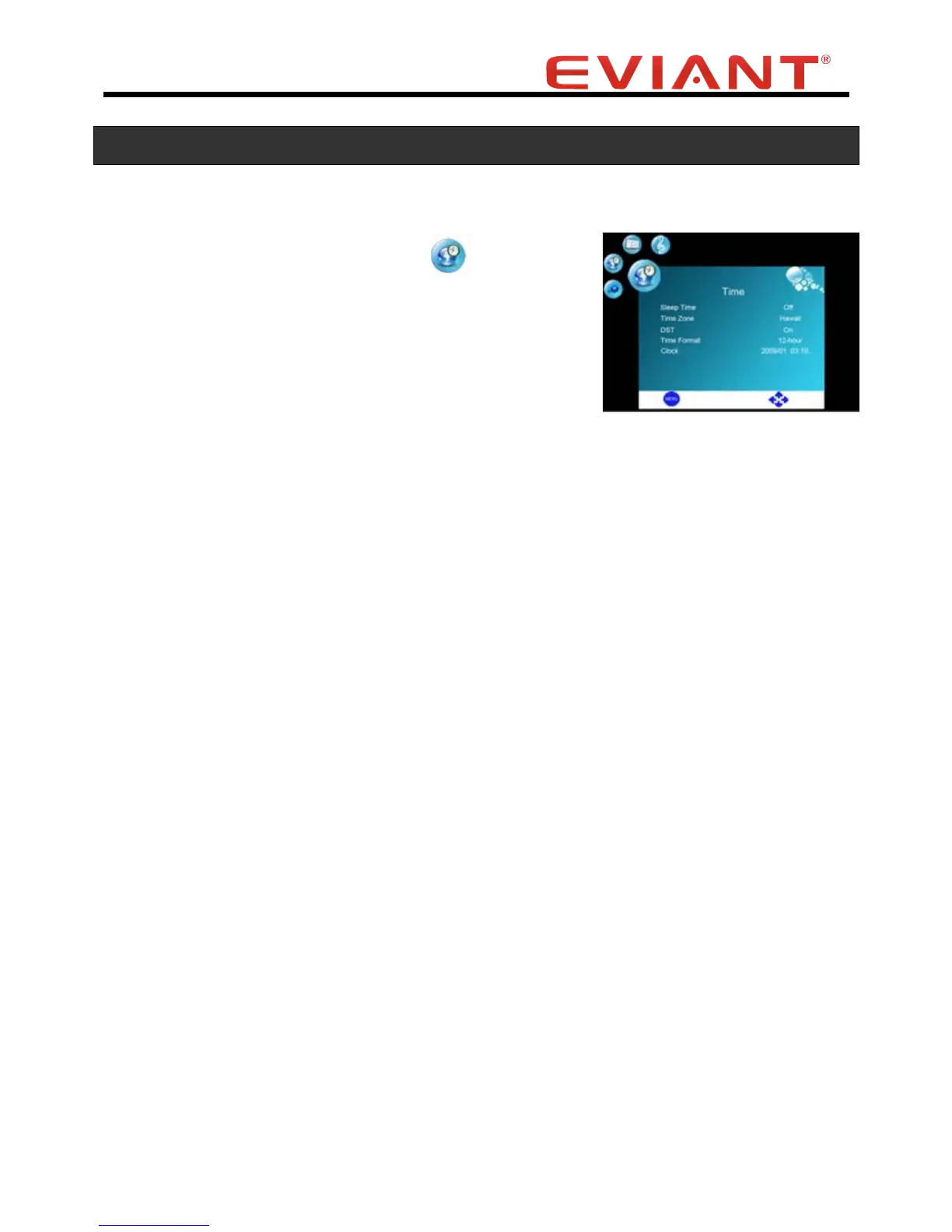
Time Menu
Press the VOL VOL buttons to select.
Press the CH button to enter into Time Menu.
Press the CH CH buttons to select the desired sub-menu.
Sleep Time
Press the CH CH buttons to select the Sleep Mode.
Press the VOL VOL buttons to set the auto shut-off timer.
Note: The Timer has a tolerance. For example, if you set sleep time to 5min., the unit
probably shut-off after 5min and 5 second.
Time Zone
Press the CH CH buttons to select the Time Zone.
Press the VOL VOL buttons to select the options which
Include Alaska, Hawaii, Atlantic, Eastern, Central, Mountain, Pacific.
Note: This item is only available in ATSC signal mode.
Daylight Savings Time
Press the CH CH buttons to select the DST.
Press the VOL VOL buttons to select ON or OFF.
Time Format
Press the CH CH buttons to select the Time Format.
Press the VOL VOL buttons to select 12-hour or
24-hour time display.
Clock
Display current time automatically from the digital signal.
Note: The clock will synchronize with the signal, it depends on signal’s support.


 To Next Page