10
Display Options & Channel Setup
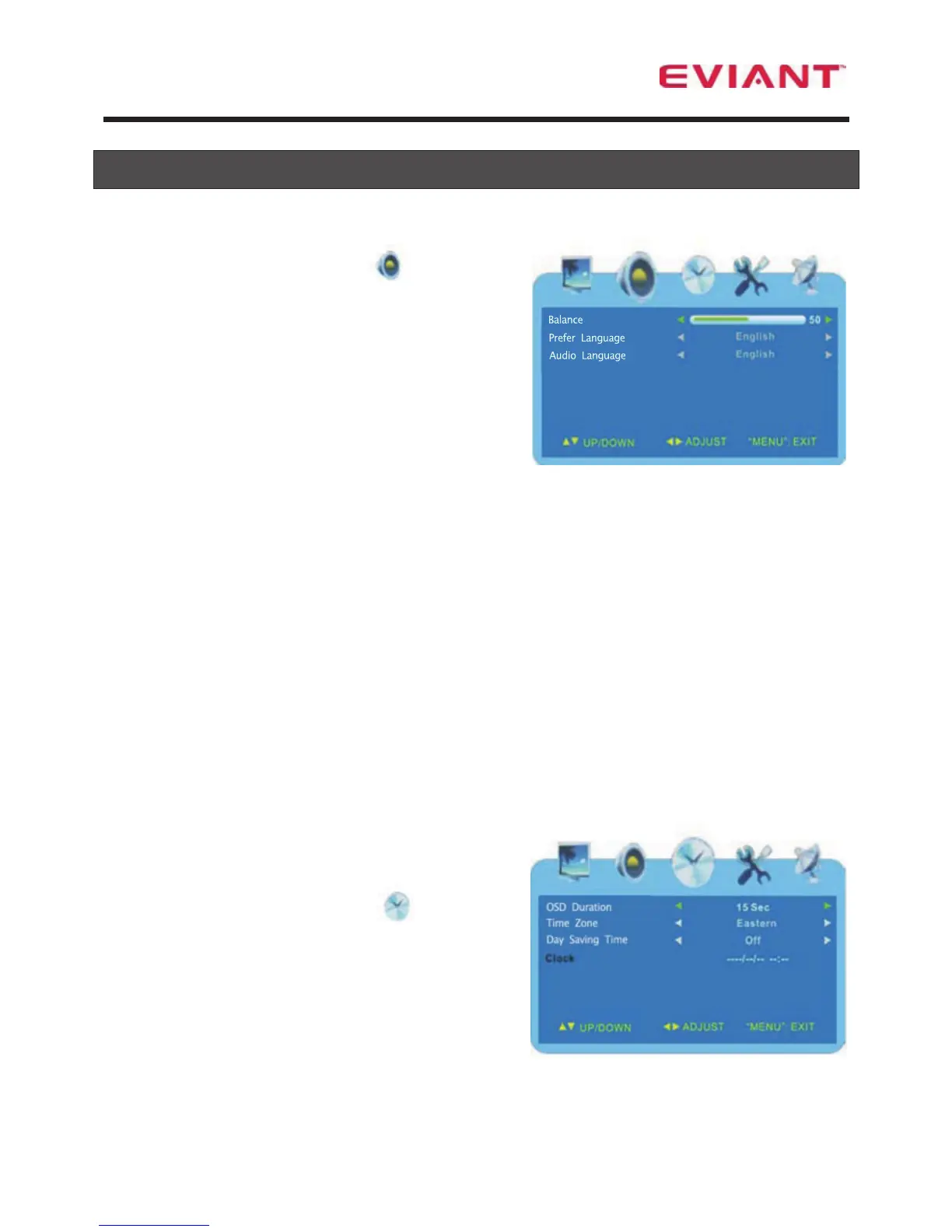
Audio Menu
Press the ◄ ► button to select .
Press the ▲▼ button to select the desired
sub-menu.
Balance
Press the ▲ ▼ buttons to select Balance.
Press the ◄ ► buttons to adjust the level.
Prefer Language
Press the ▲ ▼ buttons to select Prefer Language . This is your preferred language
that will be chosen when a station transmits in more than one language. It applies to
all channels.
Press the ◄ ► buttons to make your selection.
Note: This item is only available under ATSC signal mode.
Audio Language
Press the ▲ ▼ button to select Audio Language . This is the language you select
for the station you are currently on. This selection overrides the default language for
this station only. The unit will remember a different language selection for each
station.
Note: This item is only available under ATSC signal mode.
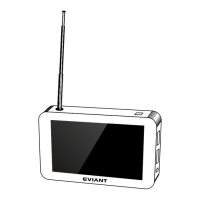
Time Menu
Press the ◄ ► buttons to select .
Press the ▲▼button to select the desired
sub-menu.
OSD Duration
Press the ▲ ▼ button to OSD Duration. This is the time the menus remain on the
screen.
Press the ◄ ► buttons to select 15, 30, 45, or 60 seconds.


 To Next Page