7
Getting Started
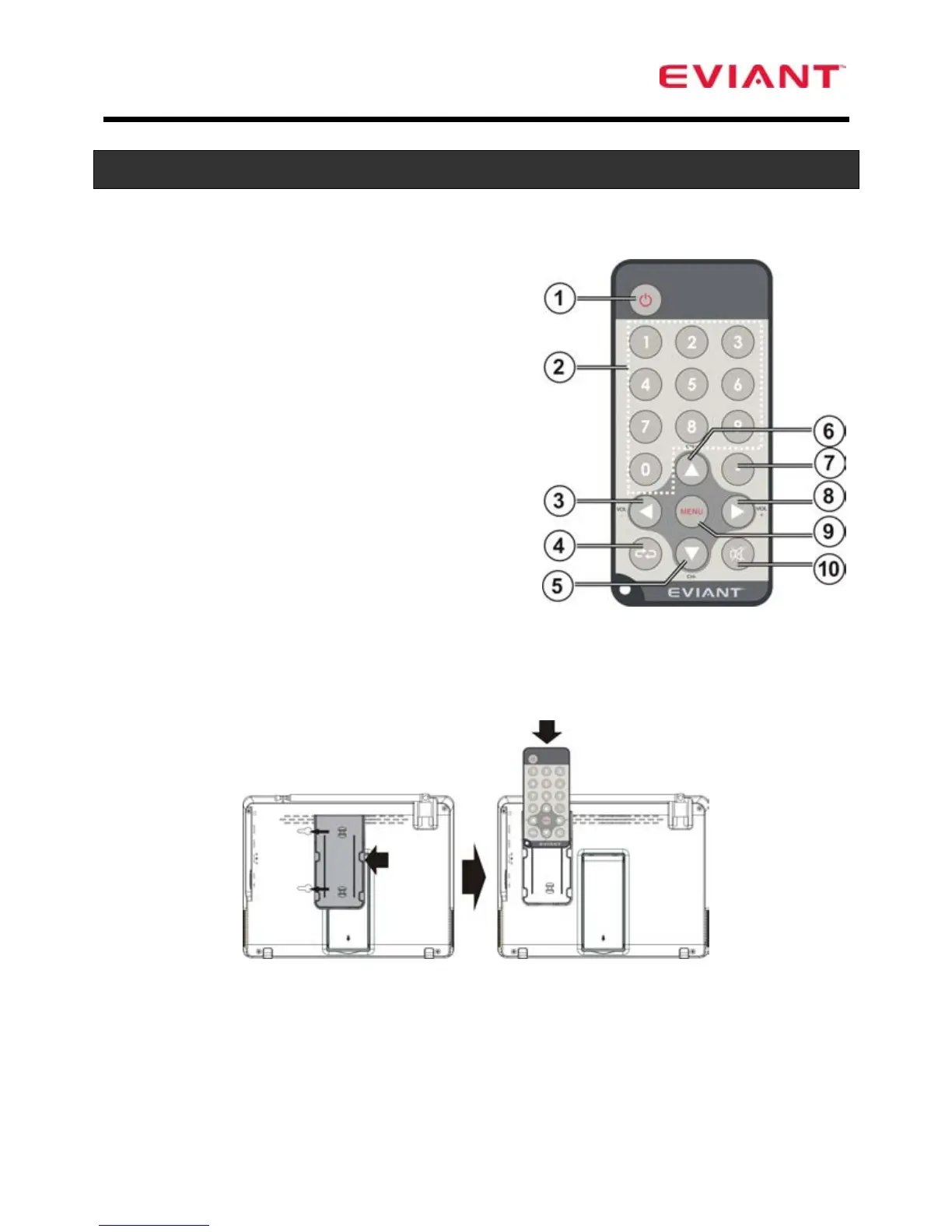
Remote Control
1. Power button
2. 0-9 Number buttons
3. Volume Down ◄
4. Return button (return to the last
channel)
5. Channel Down▼
6. Channel Up ▲
7. Character button (to connect the
channel no. e.g.: 1-1)
8. Volume Up ►
9. Menu
10. Mute
Use direction buttons for menu navigation.
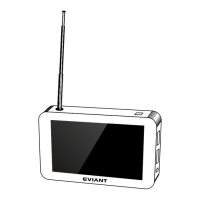
Remote Control Bracket
Install the bracket on the rear of the TV in the slots provided.
Slide the remote control in the bracket when not in use.
Caution: The remote control uses a CR2025 button battery. Do not recharge,
disassemble, or heat the battery. Misuse of the battery may result in leakage
that will damage the remote control.


 To Next Page