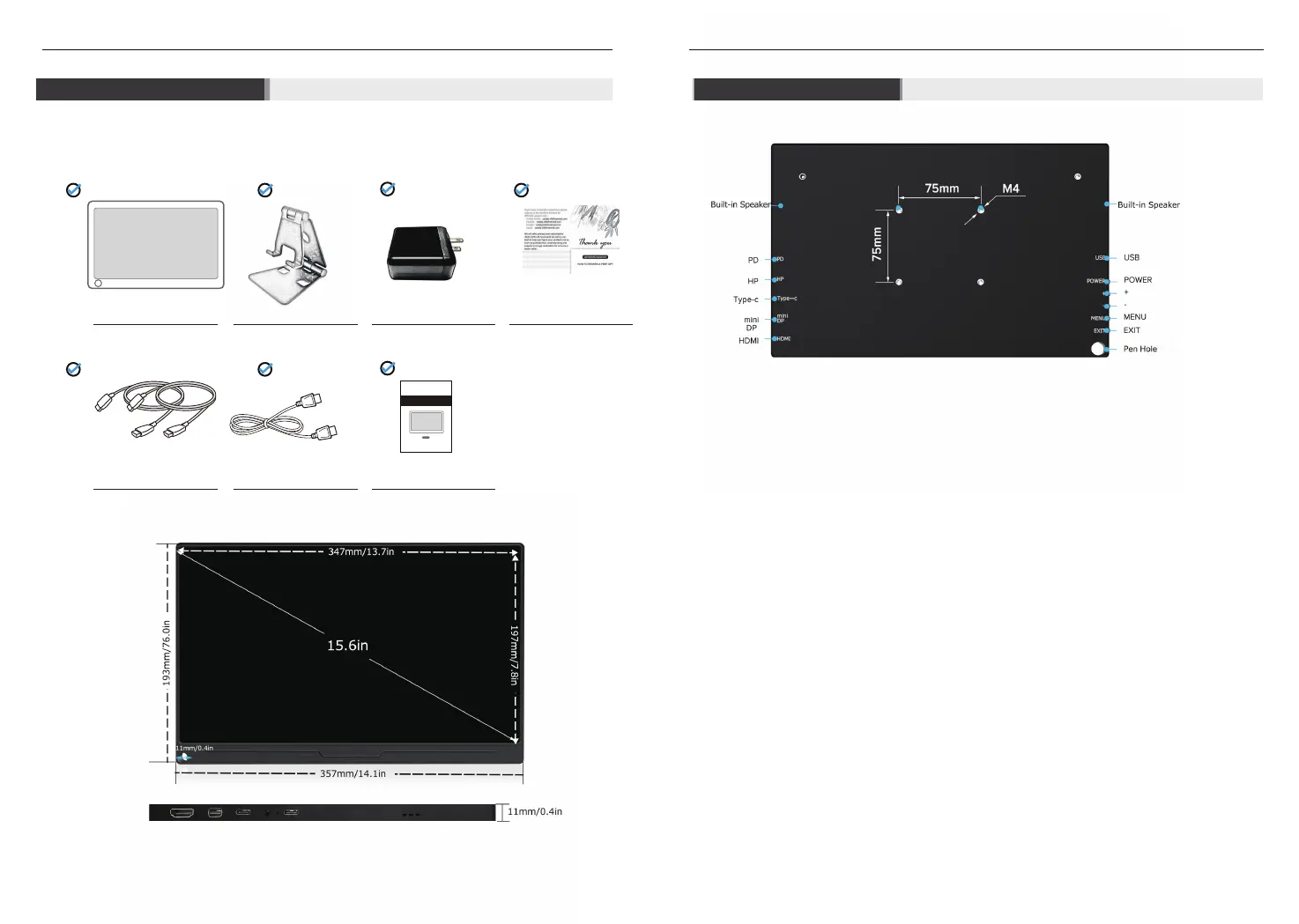
Product List Button&Port
2
3
15.6’’ IPS Monitor Adjustable Stand
PD Adapter
Thanks Card
2 Type-c to Type-c Cable Standard HDMI Cable User Manual
Monitor User Manual
For 13.3 inch 1080P HDMI Portable Monitor
DS13302
+:
-:
Power supply to monitor, but not as signal transmission port.
Headphone jack
While a cell phone supporting USB 3.1 and a laptop supporting thunderbolt 3.0, a Type-C to Type-C
cable can supply power and transfer signal
Transfer signal from Mini DP port to Mini DP port. And signal transmission from a standard DP to Mini DP
by a converter from standard DP to Mini DP.
Signal transmission. Any device with HDMI port can be connected with the monitor. By a signal
converter, to transfer signal for a device without HDMI port, to the monitor. You can buy a converter from
market.
Connecting mouse and keyboard. (Not using it for power supply to avoid an unstable voltage.)
Power On/Off
Volume Up
Volume Down
Menu management, including menu ‘BRIGHTNESS’, ‘IMAGE’, ‘COLOR TEMP.’, ‘OSD SETTING’, ‘RESET’,
and ‘MISC.’. Navigate to sub-menu or as confirm button after the values changed under sub-menu.
Similar to ‘Esc’ on the keyboard, to use it to exit from sub-menu or main menu.
PD:
HP:
Type-C:
Mini DP :
HDMI:
USB:
POWER:
Menu:
EXIT:



 To Next Page