Adjusting
BRIGHTNESS
COLOR TEMP
MISC
OSD SETTING
RESETIMAGE
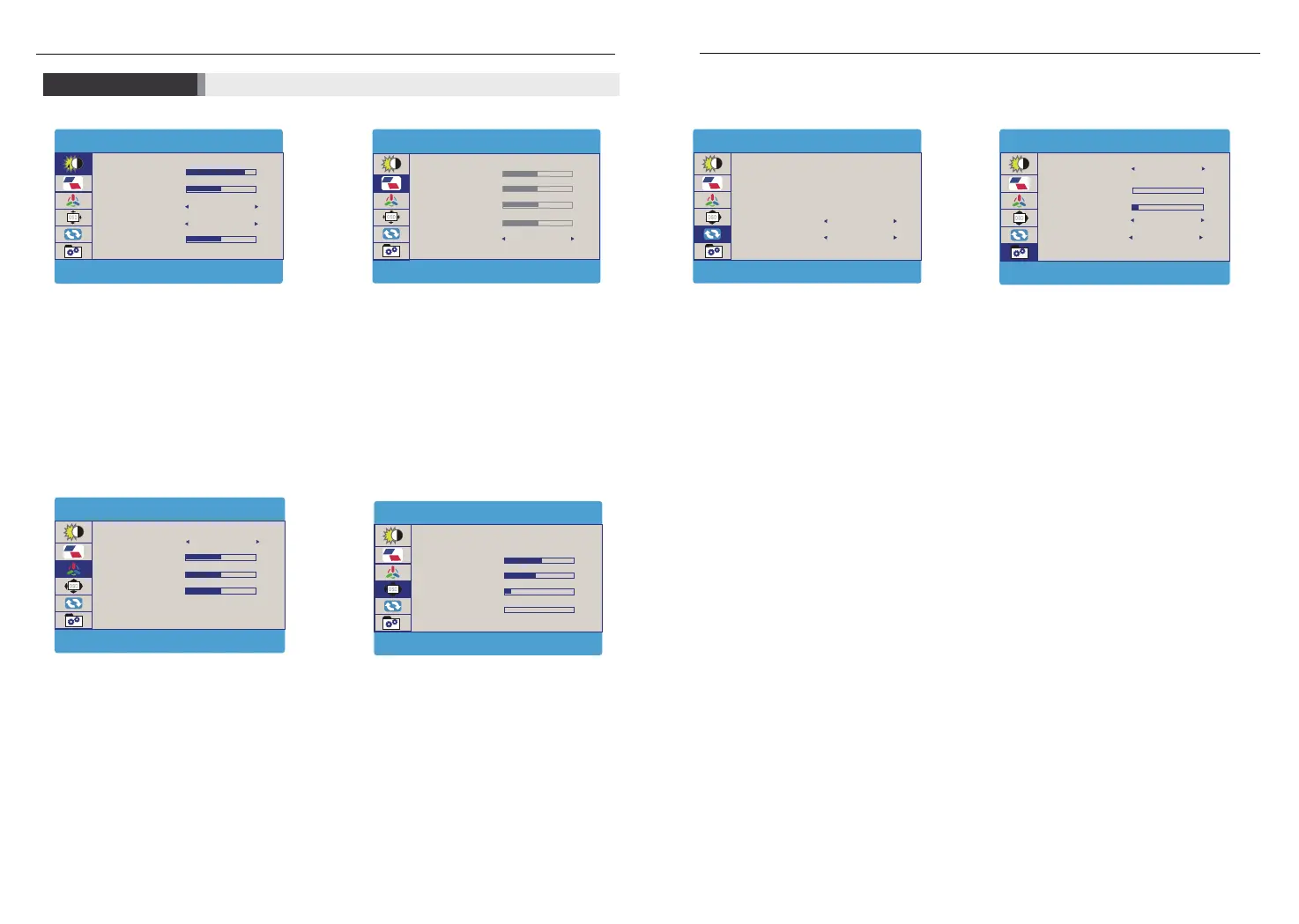
Under ‘BRIGHTNESS’ menu, you can adjust ‘BRIGHTNESS’,
‘CONTRAST’, ‘ECO’, ‘DCR’, and ‘SHARPNESS’.
BRIGHTNESS: Range from 0 to 100;
CONTRAST: Range from 0 to 100;
ECO: Choose from ‘STANDARD’, ‘RTS’, ‘FPS’, ‘TEXT’, ‘MOVIE’, and ‘GAME’.
DCR: Choose ‘OFF’, or ‘ON’.
SHARPNESS: Range from 1 to 4.
Under ‘COLOR TEMP’ menu, you can adjust ‘COLOR TEMP’, ‘RED’,
‘GREEN’, and ‘BLUE’.
COLOR TEMP : Choose from ‘USER’, ‘WARM’, and ‘COOL’.
Under ‘USER’ option, you can also adjust the following options
RED : Range from 0 to 100.
GREEN : Range from 0 to 100.
BLUE : Range from 0 to 100.
Under ‘WARM’ and ‘COOL’ option, color option ‘RED’, ‘GREEN’, and
‘BLUE’ in pale are default.
Under ‘OSD SETTING’ menu, adjustable options are ‘LANGUAGE’,
‘OSD H. POS.’, ’OSD V. POS.’, ‘OSD TIMER’, and ‘TRANSPARENCY’.
LANGUAGE : Including ‘English’, ‘French’, ‘German’, ‘Chinese
Simplified’, ‘Italian’, ‘Spanish’, ‘Portuguese’, ‘Turkish’, ‘Polish’, ‘Dutch’,
‘Japanese’ and ‘Korean’.
OSD H. POS.: Range from 0 to 100.
OSD V. POS.: Range from 0 to 100.
OSD TIMER : Range from 0 to 60.
TRANSPARENCY : Range from 0 to 100.
Under ‘RESET’ menu, adjustable options are ‘RESET’, ‘AUTO
POWERDOWN’, and ‘HDR MODE’, other options ‘IMAGE AUTO ADJUST’,
and ‘COLOR AUTO ADJUST’ in pale are default.
RESET : to restore default setting or manufacturer setting.
AUTO POWERDOWN :in minutes to power off monitor, options include
‘OFF’, ‘240’, ‘120’, ‘60’, ‘50’, ‘40’, ‘30’, ‘20’ and ‘10’.
HDR MODE : options include ‘OFF’ ‘2084’ and ‘AUTO’.
Under ‘MISC.’menu, adjustable options include ‘SIGNAL SOURCE’,
‘LOW BLUE LIGHT’, ‘VOLUME’, ‘FREESYNC’, and ‘OD’.
SIGNAL SOURCE : signal source from ‘HDMI’, ‘Type-C’ and ‘DP’.
LOW BLUE LIGHT : Range from 0 to 100.
VOLUME : Range from 0 to 100.
FREESYNC : Choose from ‘ON’ or ‘OFF’.
OD : Choose from ‘ON’ or ‘OFF’.
Under ‘IMAGE’ menu, you can adjust ‘ASPECT’ only,
other options in pale are default.
ASPECT: Choose from ‘16:9’ or ‘4:3’.
ECO
DCR
SHARPNESS
OFF
100
50
2
BRIGHTNESS
BRIGHTNESS
CONTRAST
STANDARD
CLOCK
PHASE
51
50
52
53
H.POSITION
IMAGE
V.POSITION
ASPECT
16 : 9
GREEN
BLUE
COLOR TEMP
COLOR TEMP.
RED
USER
50
50
50
OSD V. POS.
OSD TIMER
TRANSPARENCY
50
60
10
0
LANGUAGE
OSD SETTING
OSD H. POS.
IMAGE AUTO ADJUST
RESET
COLOR AUTO ADJUST
RESET
AUTO POWERDOWN
HDR MODE
OFF
OFF
VOLUME
FREESYNC
OD
10
0
SIGNAL SOURCE
MISC.
LOW BLUE LIGHT
3840BX216060HZ
HDMI
OFF
ON
6
7



 To Next Page