evoJet B90 – B130vx – B160vx – Instructions 4.0
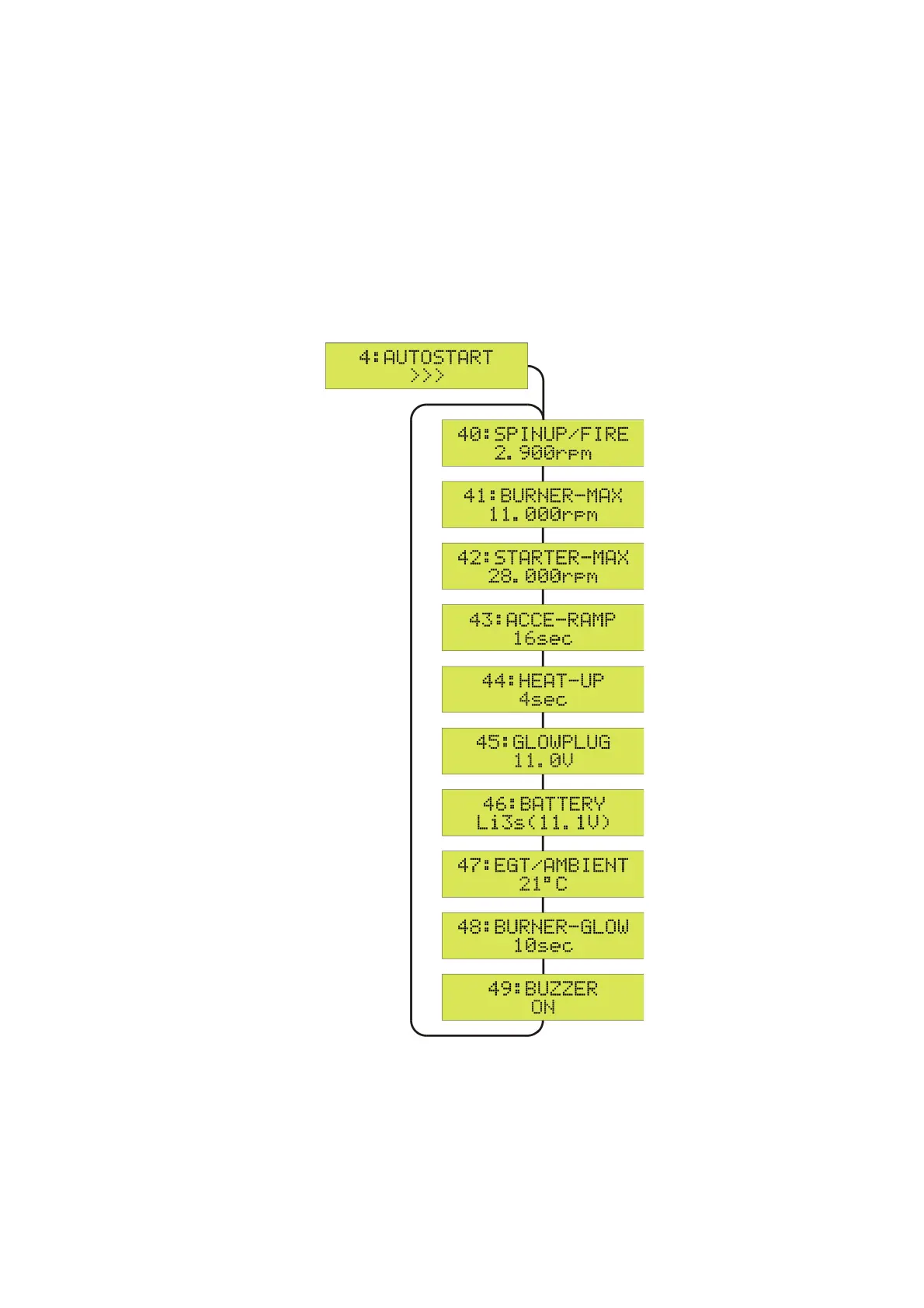
4:AUTOSTART Menu
To enter the 4:AUTOSTART menu, first press the SET key and then use the Up/Down keys to
switch between the available parameters.
To change a setting, first press the SET key and then use the Up/Down keys to switch between the
available values. A ? indicates the value to be set. To finish the setting and store the new value,
press the SET key again.
To quit the 4:AUTOSTART menu and to return to the SETUP menu, press the SET key for more
than 2 seconds (ESC).
The operating status display appears automatically after 20 seconds, or press the SET key for
more than 2 seconds (
>>>
changes to
<<<
, ESC).
22


 To Next Page