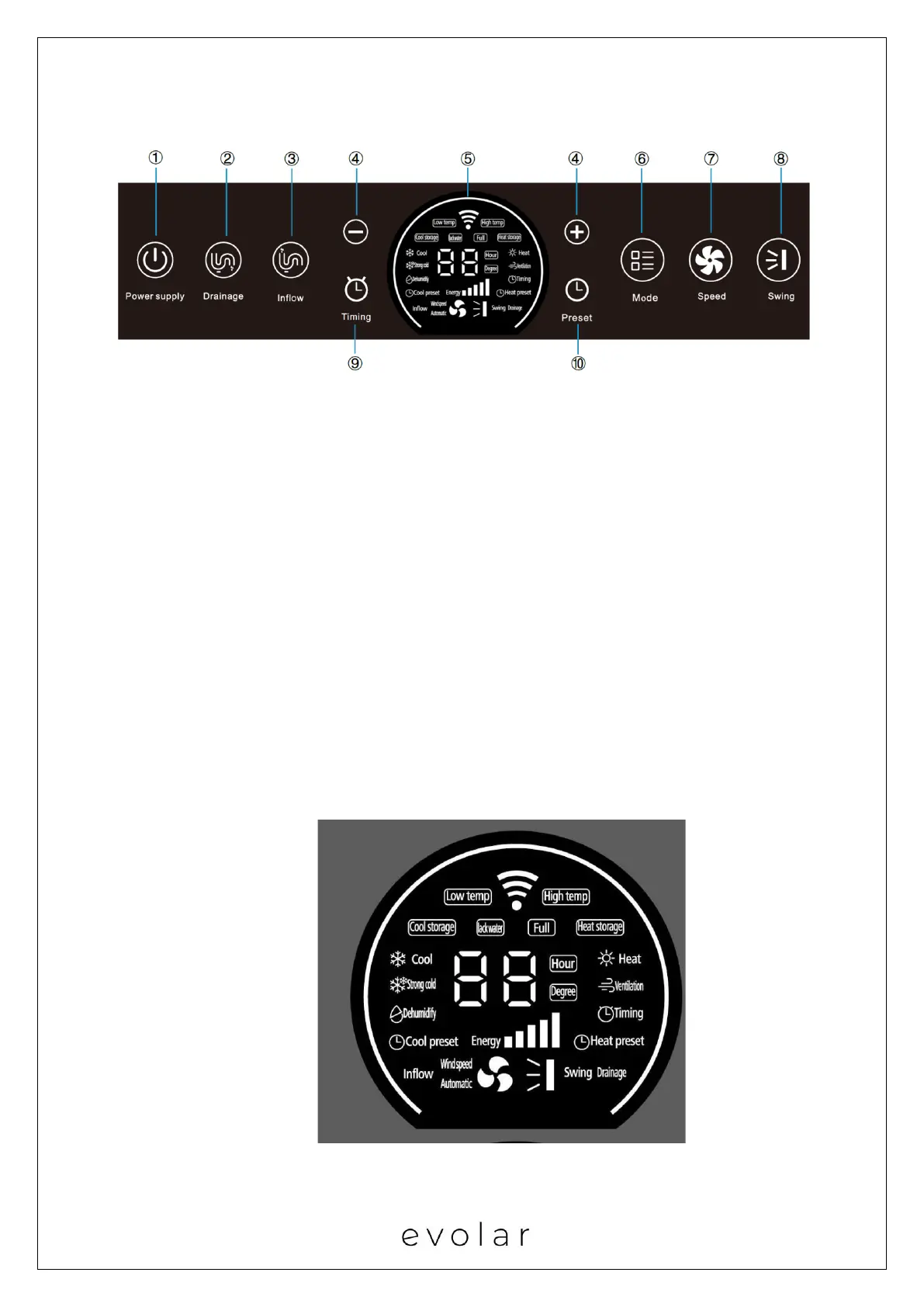
Control panel:
1.【Power】
Press this button to switch on/off the air conditioner
2. 【Drainage】
Press this button to start water drainage function.
3. 【Inflow】
Press this button to start water inflow function.
4. 【+】 and【-】
In cool, strong cold, dehumidify, cool storage, heat storage or heat mode, press this
button to increase or decrease the setting temperature (Each press adjusts 1 degree).
In timing and preset model, press this button to increase or decrease the setting time
(Each press adjusts 1 hour.)
5. Screen display:


 To Next Page