6. 【Mode】
Press this button to select the modes: Heat, Strong cold, Dehumidify, Cold storage, Heat
storage, Heat and Ventilation.
7. 【Wind speed】
Press this button to select the wind speed: Mid, High, Auto and Low
8. 【Swing】
Press this button to select up-down swing or to stop swing.
9. 【Timing】
In every mode (Cool, Strong cold, Dehumidify, Cold storage, Heat storage, Ventilation),
press 【timing】to set the end time of such running mode.
After power on, press 【timing】to set the mode, as well as the start and end time of
such running mode.
10. 【Preset】
Press this button to preset hours before the air conditioner will be used, and this unit will
store the energy (heat storage/cold storage) automatically during this period.
Installation
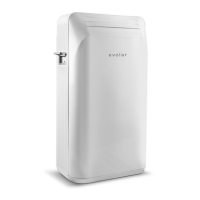
- The Evolar EVO ES9000 is a mobile air conditioning which can move. Follow the installation
instructions below for commissioning:
- Remove the packaging materials and place the device so that it stays upright.
- Check all parts for visible damage. Do not use the device if there are any damage and contact
your supplier.
- Place the device near a power outlet.
- Place the device on a flat, solid and stable surface that can withstand the pressure load of the
wheels (+/- 20 kg per wheel). Keep at least 20 cm free space on all sides and take the safety
instructions into account.
- Note: Not every floor type is suitable for moving the machine on its wheels. Evolar is not liable
for damages due to the use or the moving of the device. Evolar will not give any indication or
advice whether any specific floor type is suitable or not.


 To Next Page
 Loading...