EasyManua.ls Logo

Evolve III Maestro Ebook 11V2 - User Manual

Evolve III Maestro Ebook 11V2
5 pages
Print Icon
To Next Page IconTo Next Page
Loading...
Package contents
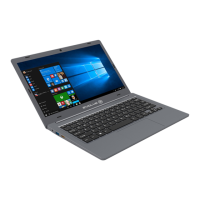
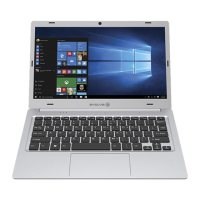
Product name: Maestro EBook
Product Model numbers: Maestro-EBook11V2
Brand name: Evolve III
Power adapter (100V-240V)
X
TM
Quick guide
Important safety and legal information
Remove all components from the packaging and remove the packaging material,
including the protective film. Check to ensure that the delivery is complete.
If you find that there are missing or damaged components, contact customer service
immediately.
Technical specifications
Processor (CPU): Intel® Celeron® N3450Processor (up to 2.2GHz) quad core*
Operating system: Windows 10 Pro
RAM/Internal storage: 4GB/64GB
Graphics unit (GPU): Intel® HD Graphics 500 (C)*
Screen size: 11.6
Display: TN display (1366*768; 16:9)
Camera: Front: 2MP
Interfaces: 1x Mini-HDMI®, audio out/MIC in (3.5mm), 1x USB2.0, 1x USB3.0,
Card slot: 1x TF card slot , 1x SIM card slot.
Network: WIFI 802.11 b/g/n, Bluetooth 4.0
More: Hall-Sensor, Analogue-microphone, Stereo speaker
Size: 277mm x190.3 mm x17.8mm
Weight: approx.1000g
Material/Color: PC + ABSCool Grey
Battery: Li-polymer (charging via DC IN)
Operation and storage
Temperatures: between 5 to 30
Relative humidity: of 30% to 70%
Quick guide
Charging the Notebook
Please charge your Notebook fully before using it for the first time.
Connect the DC plug on the supplied power adapter to the charging socket (DC IN)
on the Notebook.
Then plug the power adapter into a socket.
The charging LED lights up while the device is charging.
Question and Answer IconNeed help?

Do you have a question about the Evolve III Maestro Ebook 11V2 and is the answer not in the manual?

Summary

Package Contents and Technical Specifications

Package Contents Overview

Lists product name, model, brand, power adapter, and quick guide for the Maestro EBook.

Important Safety and Legal Information

Instructions for checking delivery completeness and contacting customer service for missing or damaged components.

Technical Specifications

Details processor, OS, RAM, storage, GPU, screen, display, camera, interfaces, card slots, network, size, weight, material, and battery.

Operation and Storage Conditions

Specifies operating temperature range (5°C to 30°C) and relative humidity (30% to 70%).

Quick Guide: Charging the Notebook

Instructions on how to charge the notebook for the first time using the provided power adapter.

Notebook Operation and Setup

First Time Notebook Startup

Guides on turning on the notebook, following the setup assistant, and registering for a Microsoft account.

Unlocking the Display

Details on unlocking the screen by pressing a key or entering a password.

Start Menu Navigation

Explains how to access and use the Start menu, including the navigation list and app area.

Using the Action Center

Describes how to access the Action Center for quick access to notebook functions via a memo symbol.

Activating Wi-Fi and Browser

Step-by-step guide to connect to Wi-Fi networks and launch the internet browser.

Notebook Functions and Energy Saving

Resetting the Notebook

Procedure for resetting the notebook if it freezes, warning about unsaved data loss.

Notebook Power States

Instructions for switching the notebook to standby mode or shutting it down.

Saving Energy Tips

Recommendations for saving energy, including deactivating Wi-Fi, managing brightness, and using standby/shutdown.

General Safety and Maintenance Warnings

General Safety Information

Covers warnings about handling the device, electric shock risks, and ventilation slots.

Battery Safety Precautions

Warnings regarding damaged batteries, leakage, skin contact, and proper disposal.

Charger and Power Adapter Safety

Guidance on using approved chargers, handling defective adapters, and securing power cords.

Maintenance and Repair Safety

Emphasizes not opening the device/adapter, user-serviceable parts, and authorized repair technicians.

Regulatory Compliance Statements

IC Caution Statement

Compliance information for Innovation, Science, and Economic Development Canada (in English and French).

FCC Caution Statement

Details FCC rules compliance, potential interference, and user guidance for correction.

Radiation Exposure Statement

Confirms the device has been tested and complies with FCC and IC SAR limits.

Evolve III Maestro Ebook 11V2 Specifications

General IconGeneral
BrandEvolve III
ModelMaestro Ebook 11V2
CategoryLaptop
LanguageEnglish

Related product manuals