EasyManua.ls Logo

Evolve III MZB1164G64GW10 - User Manual

Evolve III MZB1164G64GW10
5 pages
Print Icon
To Next Page IconTo Next Page
Loading...
Package contents
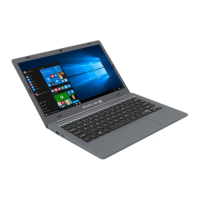
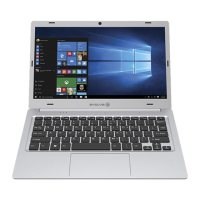
Product name: Notebook
Product Model numbers: MZB1164G64GW10
Brand name: Evolve III
Power adapter (100V-240V)
X
TM
Quick guide
Important safety and legal information
Remove all components from the packaging and remove the packaging material,
including the protective film. Check to ensure that the delivery is complete.
If you find that there are missing or damaged components, contact customer service
immediately.
Technical specifications
Processor (CPU): Intel® Celeron® N3450Processor (up to 2.2GHz) quad core*
Operating system: Windows 10 Pro
RAM/Internal storage: 4GB/64GB
Graphics unit (GPU): Intel® HD Graphics 500 (C)*
Screen size: 11.6
Display: TN display (1366*768; 16:9)
Camera: Front: 2MP
Interfaces: 1x Mini-HDMI®, 1x TF, audio out/MIC in (3.5mm), 1x USB2.0, 1x USB3.0.
Network: WIFI 802.11 b/g/n, Bluetooth 4.0
Card slot: TF Card
More: Hall-Sensor, Analogue-microphone, Stereo speaker
Size: 277mm x190.3 mm x17.8mm
Weight: approx.1000g
Material/Color: PC + ABSCool Grey
Battery: Li-polymer (charging via DC IN)
Operation and storage
Temperatures: between 5 to 30
Relative humidity: of 30% to 70%
Quick guide
Charging the Notebook
Please charge your Notebook fully before using it for the first time.
Connect the DC plug on the supplied power adapter to the charging socket (DC IN)
on the Notebook.
Then plug the power adapter into a socket.
The charging LED lights up while the device is charging.
Question and Answer IconNeed help?

Do you have a question about the Evolve III MZB1164G64GW10 and is the answer not in the manual?

Summary

Package Contents

Important Safety and Legal Information

Remove all components from packaging, check for completeness, and contact customer service for missing or damaged items.

Technical Specifications

Processor

Intel® Celeron® N3450Processor (up to 2.2GHz) quad core.

Operating System

Windows 10 Pro.

RAM and Internal Storage

4GB RAM / 64GB Internal Storage.

Graphics Unit

Intel® HD Graphics 500.

Screen and Display

11.6" TN display (1366*768; 16:9).

Camera

Front 2MP camera.

Interfaces

1x Mini-HDMI®, 1x TF, audio out/MIC in (3.5mm), 1x USB2.0, 1x USB3.0.

Network Connectivity

WIFI 802.11 b/g/n, Bluetooth 4.0.

Card Slot

TF Card slot.

Additional Features

Hall-Sensor, Analogue-microphone, Stereo speaker.

Physical Dimensions

277mm x190.3 mm x17.8mm.

Weight

Approximately 1000g.

Material and Color

PC + ABS, Cool Grey.

Battery Type

Li-polymer (charging via DC IN).

Operation and Storage Conditions

Temperature Range

Operate between 5°C to 30°C.

Relative Humidity

Maintain relative humidity of 30% to 70%.

Quick Start Guide

Charging the Notebook

Charge fully before first use. Connect DC plug to notebook, then adapter to socket. Charging LED indicates status.

Turning On for First Use

Open screen to 90°, press power for 5s. Follow setup assistant. Register Microsoft account if needed.

Unlocking the Display

Press any key to unlock. Enter password if protected.

Using the Start Menu

Click Windows icon or button to open/hide Start menu. Navigate apps and settings.

Accessing the Action Center

Click memo symbol in bottom right corner for quick links to notebook functions.

Activating Wi-Fi and Browser

Access Settings > Network & Internet > Wi-Fi to enable. Connect to desired network.

Resetting the Notebook

If frozen, press and hold power button for 20s. Unsaved data may be lost.

Notebook Power States

Manage power via Standby mode (brief power press) or Shut Down (Start menu > Power icon).

Energy Saving Tips

Deactivate Wi-Fi when not in use. Disconnect adapter when fully charged. Reduce display brightness.

General Safety Information

Injury and Handling Precautions

Risk of injury from reduced capabilities. Children need supervision. Avoid electric shock.

Electrical and Fire Hazards

Do not short circuit. Avoid damaged batteries. Use only approved adapters. Do not open adapter.

Physical Impact and Handling

Avoid vibrations and impact. Do not drop. Ensure power cord is secure.

Maintenance and Repair Warnings

Do not open casing. No user-serviceable parts. Battery is not user-removable. Unauthorized repairs void warranty.

Regulatory Information

Industry Canada Compliance

Complies with RSS-Gen. Subject to conditions: no interference, accept any interference.

FCC Compliance and Cautions

Complies with Part 15. Avoid harmful interference. Limits for Class B digital device.

Specific Absorption Rate (SAR)

Tested to FCC RF exposure guidelines. SAR determined at highest certified power level.

Evolve III MZB1164G64GW10 Specifications

General IconGeneral
Storage64GB eMMC
RAM4GB
Display11.6" HD (1366x768)
Ports1 x MicroSD card reader
WirelessBluetooth 4.2

Related product manuals