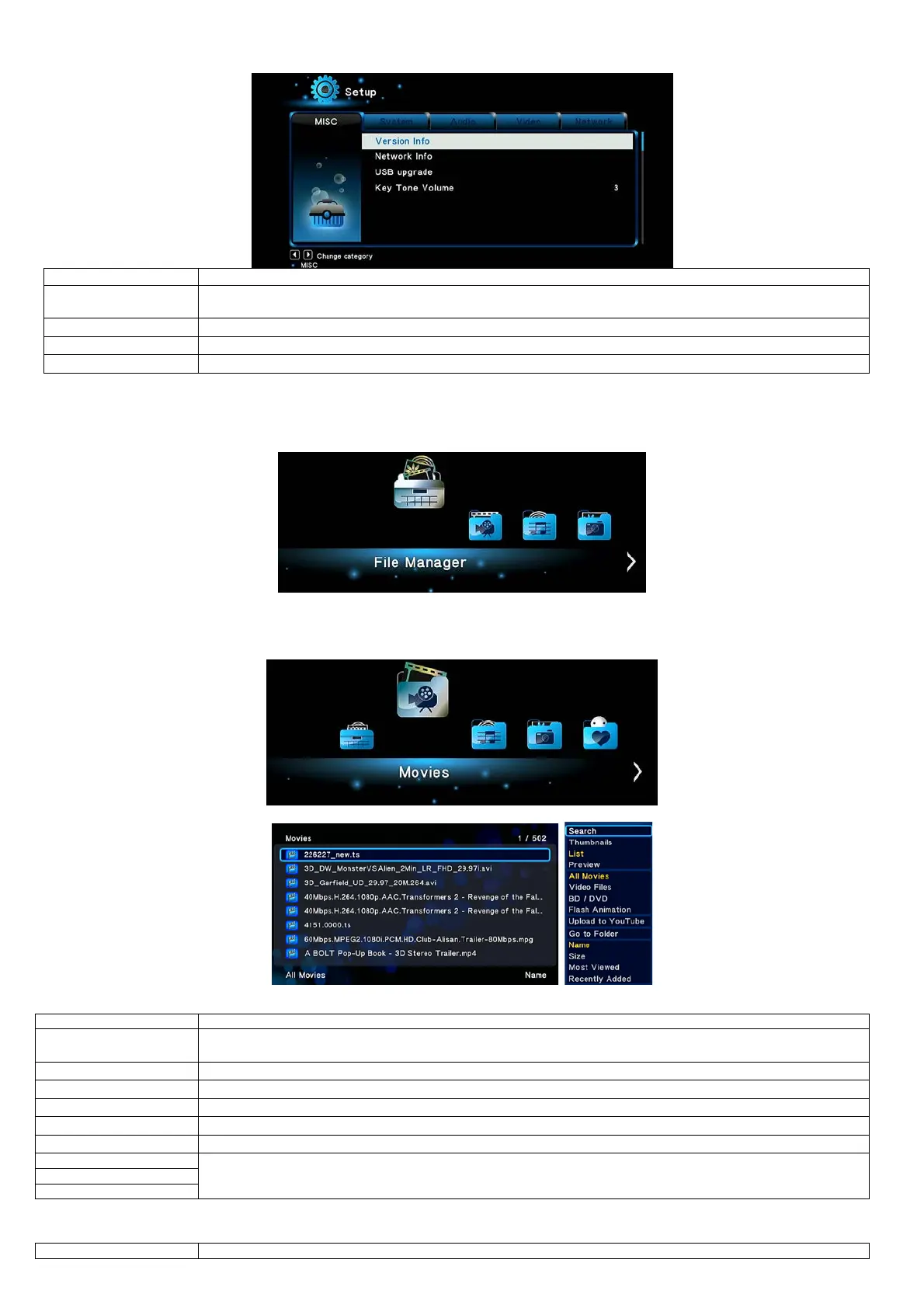
2.1.5 Miscellaneous
- This tab shows you information about the software installed and about the material components of EVOLVE
- This tab shows you information about your network,MAC Address, IP address Gateway, Subnet.
- Please refer to ’2.15 Firmware Upgrade ’for more details.
Here you can adjust the volume of key tone.
2.2 Browsing Files and Media Playback
2.2.1 Browse via File Manager
The File Manager allows you to browse and play music, photo and movie files stored on an internal HDD, external USB device, memory card and
network.
In File Manager, press Menu button, you can choose different review mode, Thumbnails, List or Preview.
2.2.2 Browse via Media Library
Enter into Movie/Photo/Music interface, only supported files will be displayed. Please refer to Appendixes in chapter ‘3. Specifications’ for more
details about the supported files.
In media library, press MENU button to display the option menu, you can get following functions though the option menu.
- Choose the Search option in the option menu, you can search for a media file by filter media library to locate the
- Choose a review mode among Thumbnails, List, Preview from option menu.
- Choose to sorting files by Name, Size, Most Viewed, Recently played or Recently Added from option menu.
- Choose to display .swf files in media library.
- Choose to display DVD IFO, BD MV and ISO files directly in media library.
- Choose to locate the file in file manager.
- Different mode to view photos in photo library.
2.2.3 Playback Option
Press Menu button during playback, you can get following functions though the Option menu.


 To Next Page