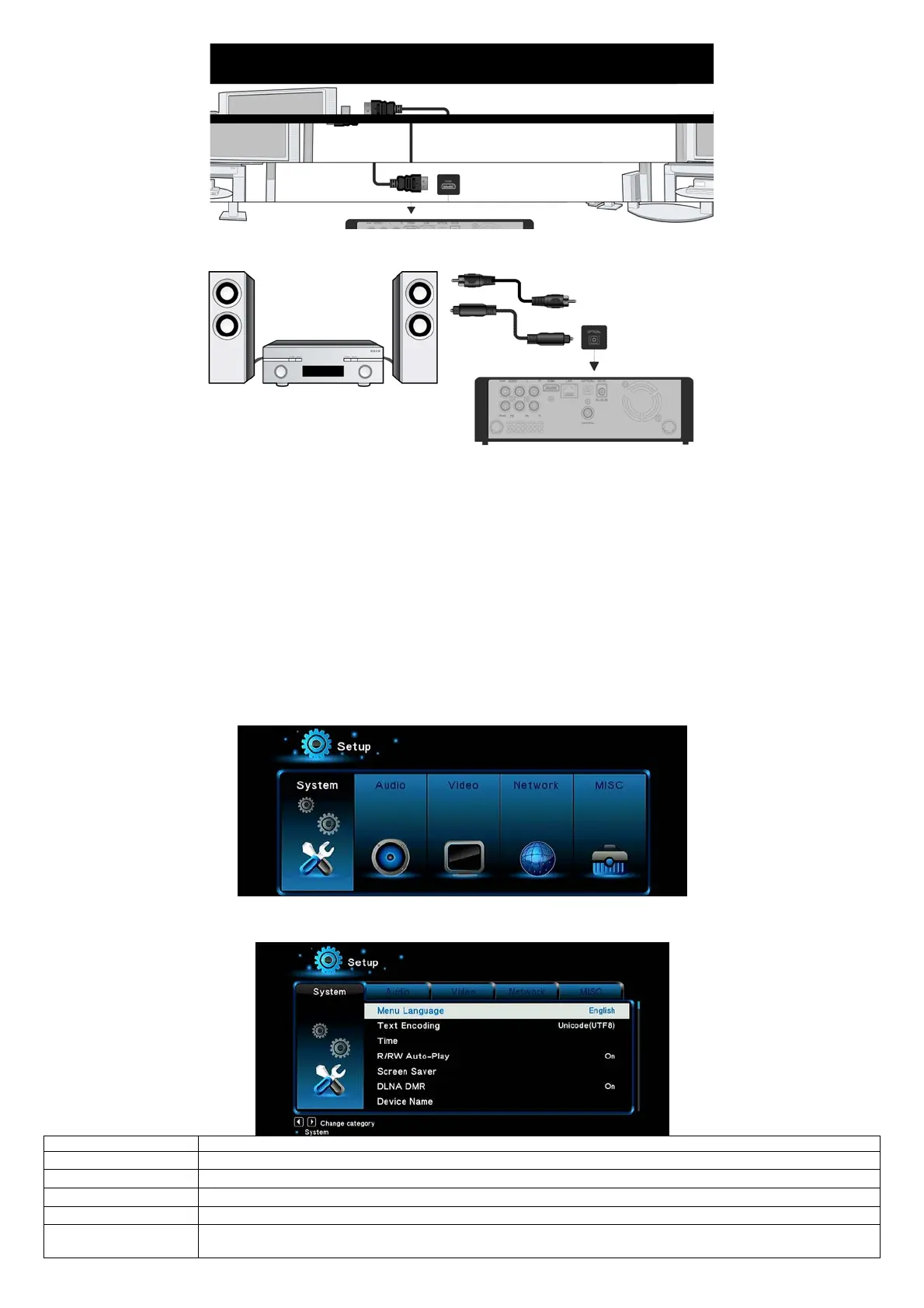
Digital Audio Device connection
Except for HDMI jack, EVOLVE Infinity can output digital audio to amplifier though SPDIF coaxial or optical jack. Please refer to ‘2.1.2 Changing Audio
settings’ for more details.
1.4.2 Menu language
The system language of EVOLVE Infinity can be set to English or other languages. Change the language you wish via Setup System Menu language,
the selected language will take effect immediately.
1.4.3 HDD Format
For users who wish to install a new SATA HDD into the EVOLVE Infinity, first you need format the hard disk on EVOLVE Infinity before usage. You can
format your HDD via Setup
System Format menu. A password needed when you try to format the HDD, please refer to ’2.1.5 MISC ’ for more
details about the password.
Note:
HDD format will remove all data stored on the hard disk drive. Please take care and backup your data in advance!
2. Main Functions
5.3. Setup
The Setup menu allows you to personalize and configure the preferences for EVOLVE Infinity.
- Select the Setup icon on the home screen, or press Setup button on the remote control.
- Use the Left/Right navigational buttons to select an option, and then press OK.
There are six setup options, including System, Audio, Video, TV&REC, Network and MISC.
2.1.1 Changing System Settings
- Select to choose the OSD (On-Screen Display) language.
- Select to set the text encoding option (subtitle display)
- Here you can select the right time zone.
- Here you can set the timing of screen saver and change screen saver.
- Digital Media Renderer, can play content received from a digital media controller (DMC), which will find content
from a digital media server (DMS)


 To Next Page