or
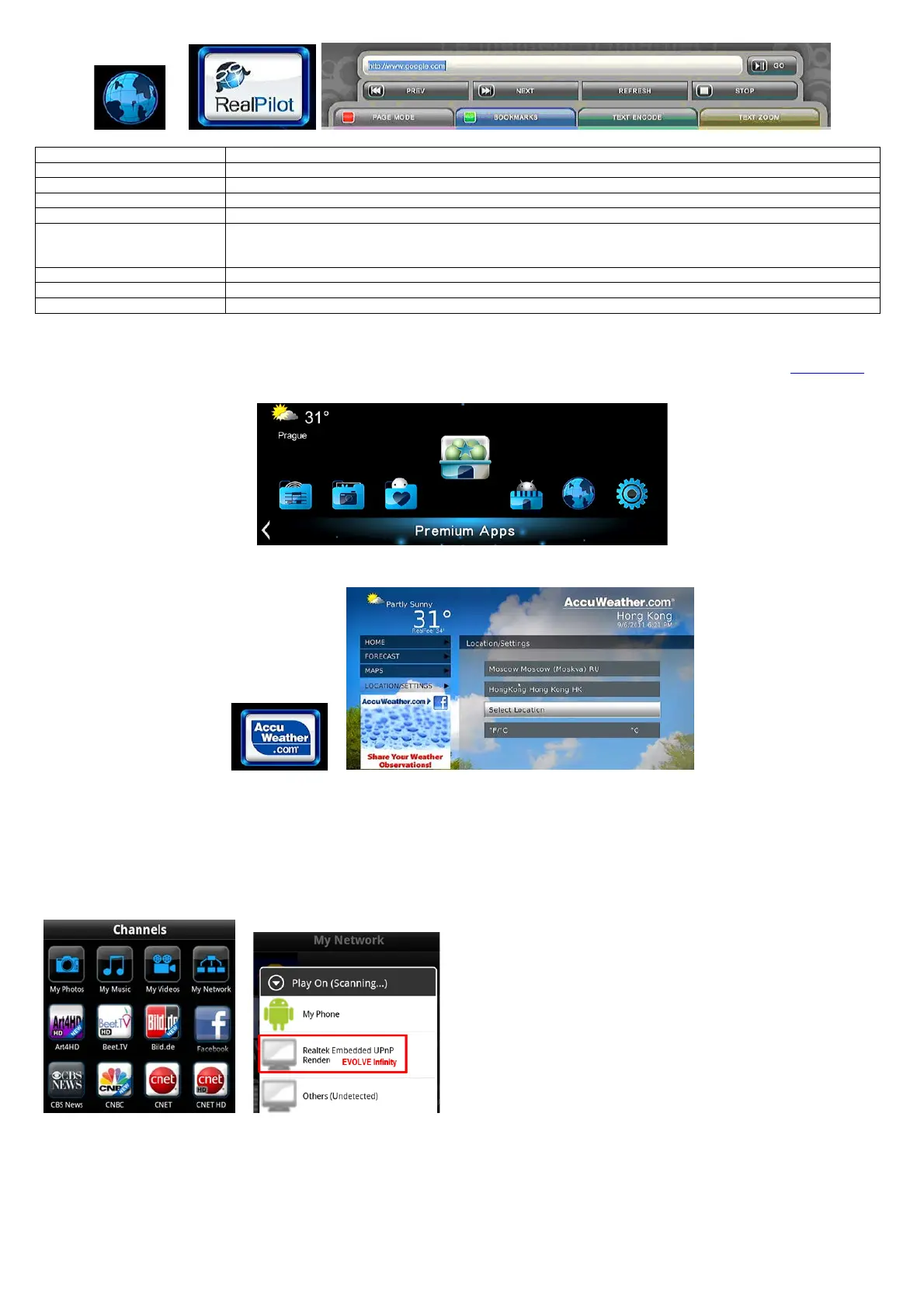
The following functions are available from the tool bar.
Input the address of the website.
Back to the previous webpage.
Forward to the next webpage.
There are navigation mode and page mode when using remote control to browse webpage, you can select one of
them by pressing RED button. In navigation mode, remote control is used to move the cursor. While in page mode,
remote control is used to page up and down.
Add the website to your bookmark.
Select the text encoding of the webpage.
Adjust the size of the text in the webpage.
! WARNING !
EVOLVE Infinity is a multimedia player, not a personal computer. For this reason, it may be the quality and range display some web pages with active
content (Flash, Flash video, ActiveX, Java, etc.) is limited or impossible. The latest update file (firmware) for EVOLVE Infinity find at
ftp.evolve.cz
2.7 Weather on Home menu
To display weather of the city on home menu,
Step 1, Enter into SetupNetwork menu, connect your player to internet.
Step 2, Enter into Internet Media select Accu Weather Locations/Settings, select the city as you wish.
2.8 DLNA DMR
This player can work as a Digital Media Renderer. It can play content received from a digital media controller (DMC), which will find content from a
digital media server (DMS). With it, you can seamless stream multimedia on your large-screen TV.
Step 1, Enter into Setup System menu, turn on DLNA DMR.
Step 2, Install a digital media controller on your iphone/iPod/iPas or Android phone. And connect your phone to the same network with the player.
There are several DMC applications are available, for instance,iMediaShare.
Step 3, Run iMediaShareselect the media stored on your phone or other Upnp server even media from internet select a digital media renderer,and
then you can watch the media on your TV. Except the media stored on your phone, you also can select media form internet, like
Picasa,Facebook,Youtube.
2.9 A/V Streaming via Network
To stream your media files shared on the home network,
Step 1, Enter into SetupNetwork menu, connect your player to your home network.
Step 2, Enter into File ManagerNetwork, find your PC the workgroup list. Then you can select and play the shared media files that you want to
browse.


 To Next Page