Charging indication
"LED 4" diode flashes after the power cable is connected, when the battery is fully
charged, "LED 4" diode lights constantly. Once the gamepad is connected via USB cable to
a Windows PC or PlayStation 3, the battery will automatically recharge itself.
Sleep function
Gamepad enters "Sleep" mode after 1 minute of disconnection
Gamepad enters "Sleep" mode after 5 minute of inactivity
Android smartphone/Android box
Turn on the Bluetooth function on the Android phone
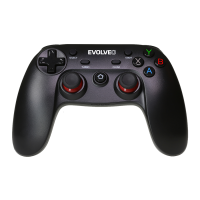
Press and hold the "A" and the "HOME" button at the same time for 2 seconds
"LED 1" will start flashing
"EVOLVEO" will be displayed on your phone in the list of available Bluetooth devices
Pair both devices
If the "LED 1" diode lights constantly, both devices have been successfully paired


 To Next Page