Android box
insert the 2.4 GHz transmitter into a USB port
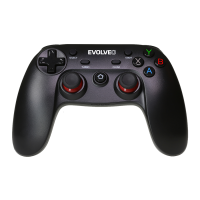
press and hold the "A" and the "HOME" button at the same time for 2 seconds
"LED 1" will start flashing and the automating pairing will start
if the "LED 1" diode lights constantly,both devices have been successfully paired
Windows (X-input mode)
insert the 2.4 GHz transmitter into a USB port
press and hold the "X" and the "HOME" button at the same time for 2 seconds
"LED 1" and "LED 2" diodes will start flashing
if the "LED 1" and "LED 2" diodes light constantly, both devices have been successfully
paired
Note: Bluetooth cannot be used for Windows OS
PlayStation 3
insert the 2.4 GHz transmitter into a USB port
press the "TURBO" and the "HOME" buttons at the same time to enter pairing mode
"LED 1", "LED 2" and "LED 3" diodes will light up
it is also possible to use a USB cable


 To Next Page