5
BUTTONS
FUNCTION
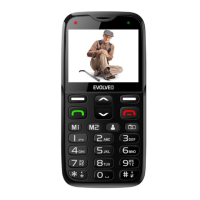
Left function
button (LFB, 3)
Push this button to open the menu in the standby
mode. A function will be launched and immediately
displayed in the display bottom left corner.
Right function
button (RFB,
12)
Push this button to open the contact list. Return to
previous menu. Delete written information.
Call button (5)
Push this button to commence a call to the
selected phone number. Accept incoming call.
Open the call history in standby mode.
Hang-up button
(11)
Turn phone off: Push and hold the button longer in
standby mode to turn the phone off. Turn phone
on: Push and hold the button longer to turn the
phone on again. Push this button to return to the
standby mode. Push this button to hang up.
Pushing the button on the main screen turns off the
display and locks the keyboard.









 To Next Page