AirKey system manual version 2.7 |
06/03/2024 | Subject to technical changes and misprints
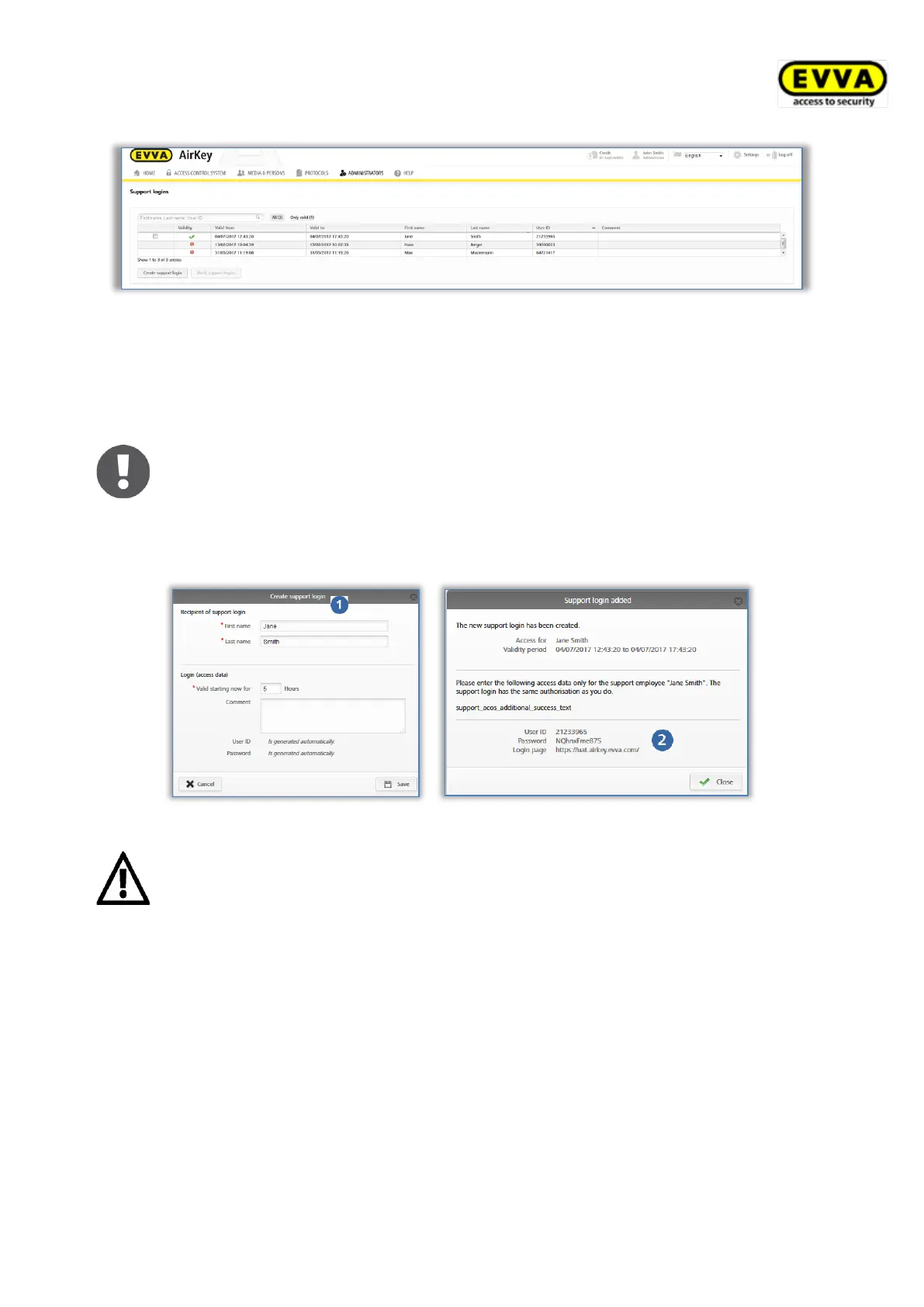
Figure 213: Support login lists
> Click Create support login.
> Complete the form .
Fields highlighted by * are mandatory fields.
Logins can be assigned for periods between 1 and a maximum of 24 hours.
> Click Save.
The system generates the support login, username and password .
Figure 214: Creating support logins
You will no longer be able to view the password after having closed the
dialogue window.
In your own interests, we recommend you send login data securely.
> Close the "Support login created" dialogue window once you have sent the data to
the corresponding support partner.
5.8.2 Blocking support logins
Support logins automatically expire after their specified validity period. However, you can
also cancel support logins beforehand using the Block support logins function.
Proceed as follows to cancel support logins prematurely:
> In the main menu select Administrators → Support logins.


 To Next Page
 Loading...