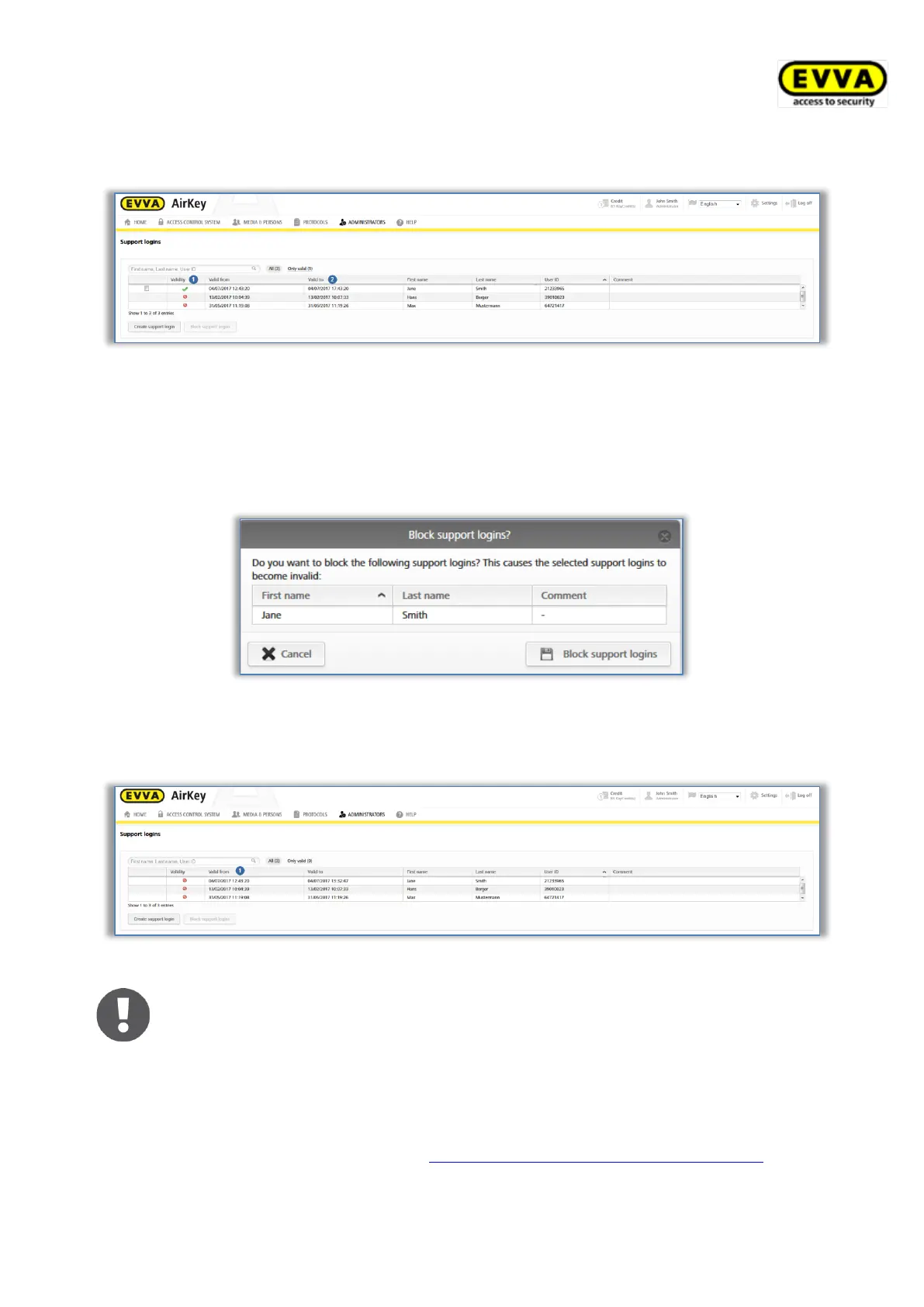
The support logins list shows whether there are currently valid support logins and their
validity period .
Figure 215: Support logins overview
> Select the recipient of the support login for whom you would like to cancel the
support login.
> Click Block support logins.
> Click Block support logins to confirm the security prompt.
Figure 216: Blocking support logins
The icon in the "Validity" column of the support login list indicates that the login has been
blocked.
Figure 217: Support login validity
Any actions by recipients of support logins as well as created or blocked
support logins are recorded accordingly in the event logs.
5.9 Help
The Help section in the main menu provides additional descriptions. These are also available
on the EVVA AirKey product website at https://www.evva.com/en/airkey/website/. Please
contact your specialist EVVA retailer if you require any additional assistance.


 To Next Page
 Loading...