AirKey system manual version 2.7 |
06/03/2024 | Subject to technical changes and misprints
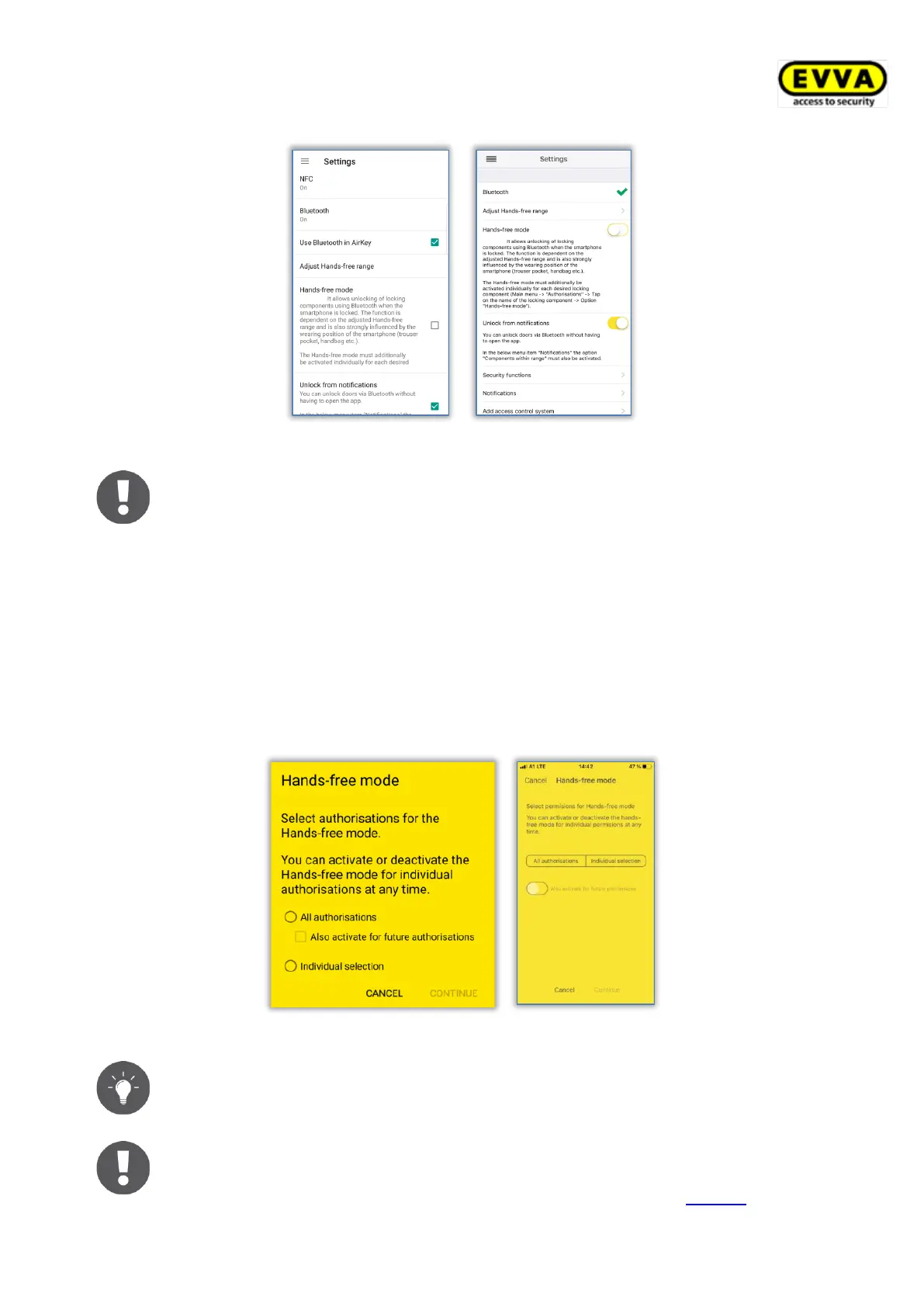
Figure 255: AirKey-App settings
For Android smartphones, activating this function starts a service. Even
when the AirKey app is terminated, this service permanently searches for
Bluetooth locking components within range and leads to increased battery
consumption of the smartphone. The service is terminated as soon as the
function is deactivated again. Tap on the notification of the service to go
directly to the settings of the AirKey app.
> The Hands-free mode must also be activated for each locking component or area in
the authorisation details at menu item Authorisations. When the Hands-free mode
is activated for the first time, a dialogue appears in which the function can be acti-
vated automatically for all locking components or individually only for specific locking
components.
Figure 256: Select permissions for Hands-free mode
Activate Also activate for future authorisations to activate Hands-free
mode automatically for new authorisations.
Depending on the setting Access from lock screen in the AirKey Online
Administration settings, either you can unlock directly from the lock screen
or the lock screen must be unlocked first. For more details, see General.


 To Next Page
 Loading...