AirKey system manual version 2.7 |
06/03/2024 | Subject to technical changes and misprints
Do not remove the smartphone from the medium you would like to update during data
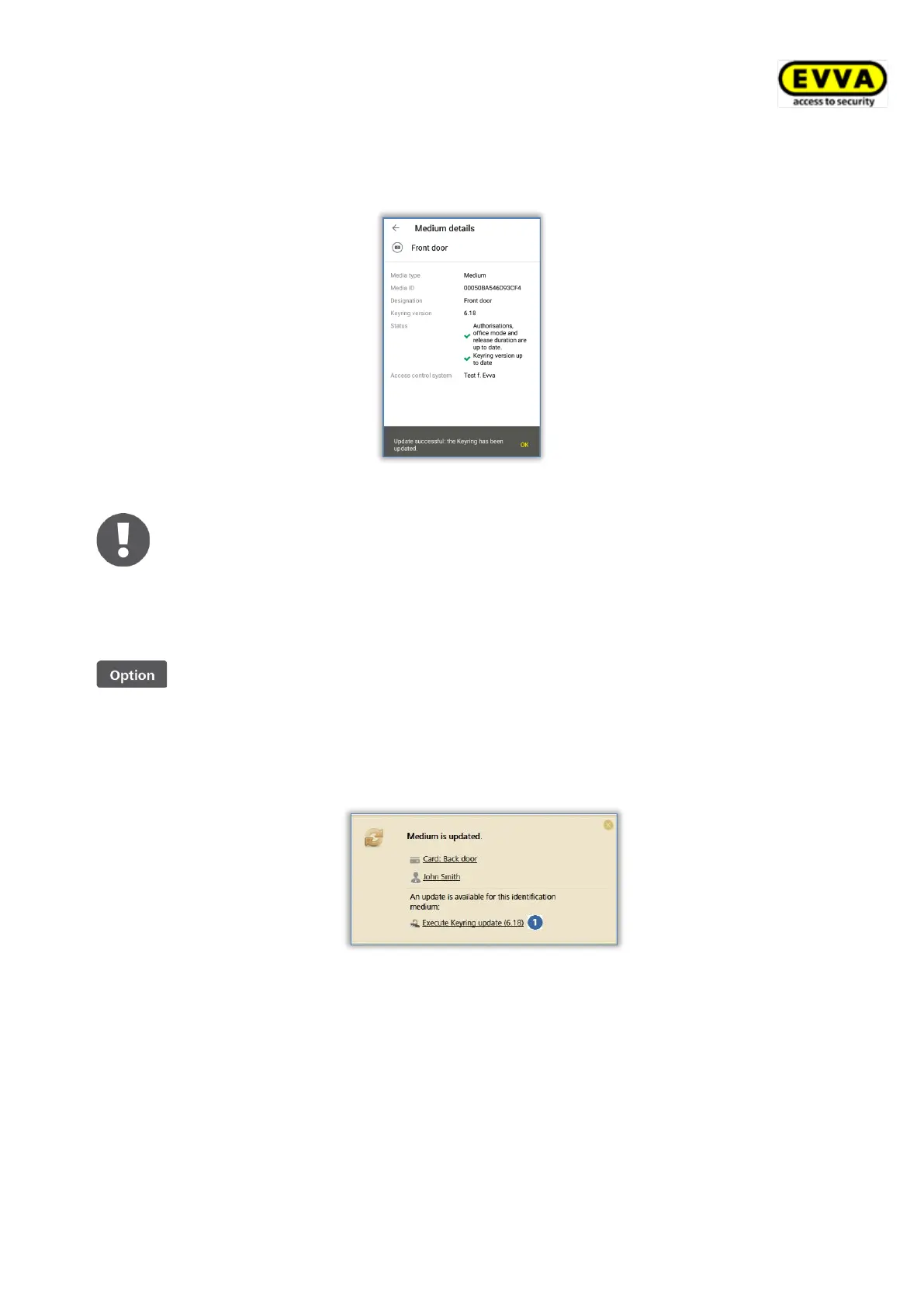
transfers. A message indicating that the Keyring update was successful appears once the
process is complete.
Figure 282: AirKey app – Keyring update successful
As a result, the media status is adapted within the entire system. The
correct Keyring version is shown in the media details.
When using smartphones to update combi keys hold the side of combi key
featuring the RFID icon to the smartphone.
Updating the Keyring using coding stations:
> Place the medium on the coding station. Updates are started
automatically once the coding station identifies the medium.
A confirmation appears once the update has been completed.
Figure 283: Coding station – a Keyring update is available
A corresponding link is shown if a firmware update is available for the
locking component.
> Click Execute Keyring update (x.x) to start the update.


 To Next Page
 Loading...