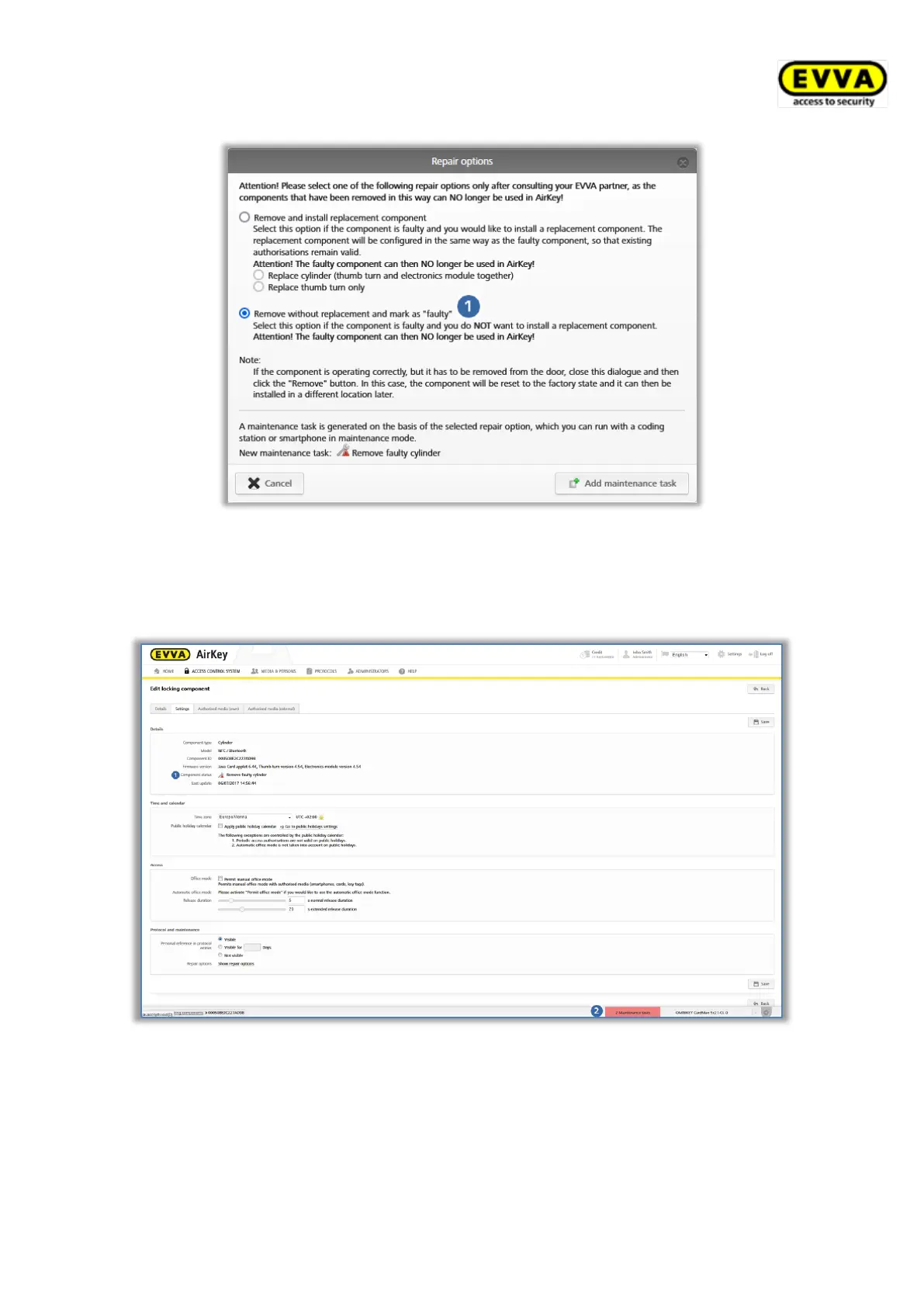
Figure 293: Repair options
> Click Add maintenance task.
The locking component status is updated and shown as a maintenance task .
Figure 294: Component status and maintenance task
As a result, any preparations for removing faulty locking components without replacements
have been completed within the AirKey Online Administration. Complete the overall process
of removing the component using your smartphone with maintenance authorisation or within
the AirKey Online Administration.



 To Next Page