8.8.3 Removing faulty locking components using smartphones
If it is no longer possible to update faulty locking components, you can use your smartphone
to remove the faulty locking component without replacements. This requires a registered
smartphone with active maintenance authorisation for this access control system.
> Establishing a connection using NFC (for Android smartphones): Tap the Connect to
component icon and hold the smartphone to the locking component you would like
to remove.
> Establishing a connection using Bluetooth (for Android smartphones): Tap the con-
text menu of the the locking component you would like to remove (⋮) and then select
Connect.
> Establishing a connection using Bluetooth (for iPhones): Swipe the designation of
the locking component you would like to remove towards the left and then select
Connect.
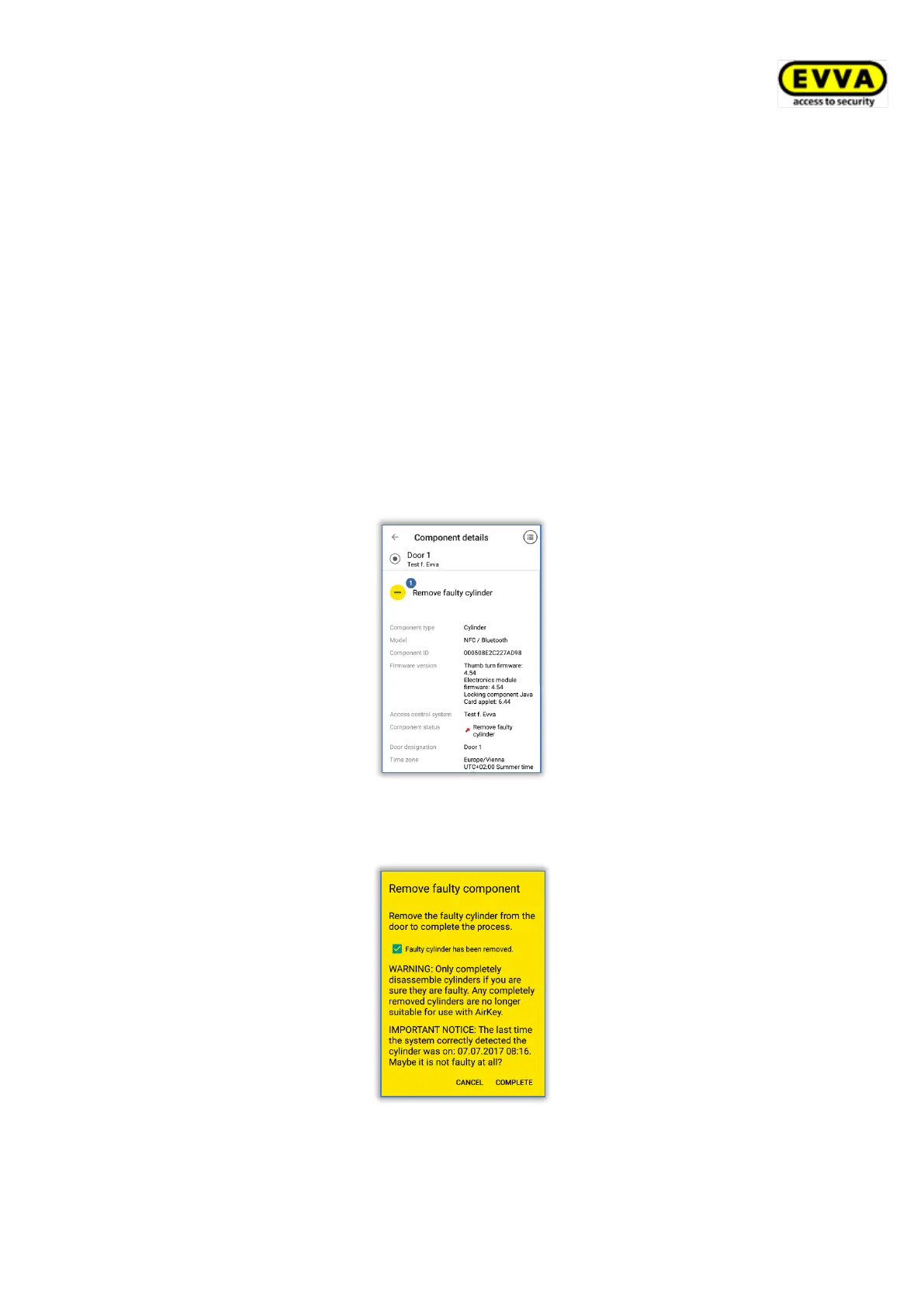
> Component details are shown. Select Remove faulty cylinder .
Figure 295: Smartphones – removing faulty components
> Tick the checkbox in the dialogue and click Complete to confirm.
Figure 296: Smartphones – removing faulty components – confirmation
As a result, the process is complete and the locking component is no longer listed within the
access control system. The locking component can consequently no longer be used.


 To Next Page
 Loading...