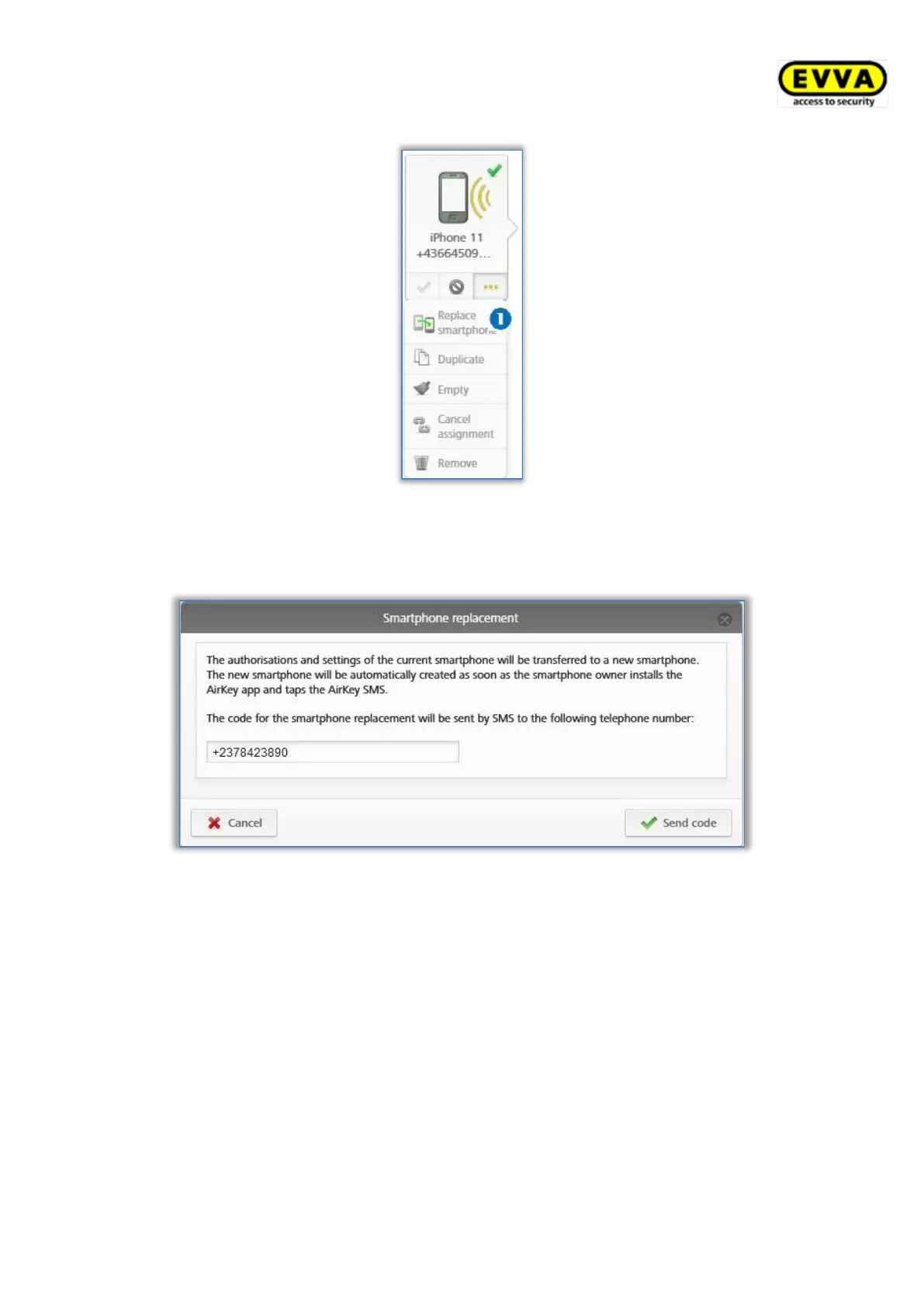
Figure 304: Replacing smartphone
> A dialog appears in which the telephone number of the target medium must be
inserted. The telephone number of the source medium will be taken automatically.
Figure 305: Smartphone replacement
> Check if the telephone number is correct and confirm with Send code.
> A "Send a Key" SMS with a registration link will be sent to the specified telephone
number of the target medium.
The smartphone replacement must be finished on the target medium:
> Open the SMS containing the registration link.
> Tap on the registration link and follow the instructions.
The smartphone replacement is now complete and the target medium is successfully
registered with the AirKey authorisations and settings of the source medium. The source
medium will be deactivated automatically after the successful replacement.


 To Next Page
 Loading...