Visit our homepage at https://www.evva.com/en/airkey/website/ for a
screencast describing the first steps and commissioning of the access
control systems.
EVVA offers the following materials to support locking component assembly:
> Assembly manual:
EVVA provides non-verbal assembly manuals to support locking component
assembly. They are enclosed with the packaging of the corresponding product
or available from our homepage at https://www.evva.com/en/downloads/.
> Videos:
We have provided assembly video clips on our homepage at
https://www.evva.com/en/airkey/website/.
4.1 Installing the AirKey app
> Download the AirKey app from the Google Play Store or Apple App Store.
> Follow the AirKey app installation instructions on your smartphone.
4.2 Registering to the AirKey Online Administration
Register with EVVA using a valid e-mail address to be able to use the AirKey Online
Administration.
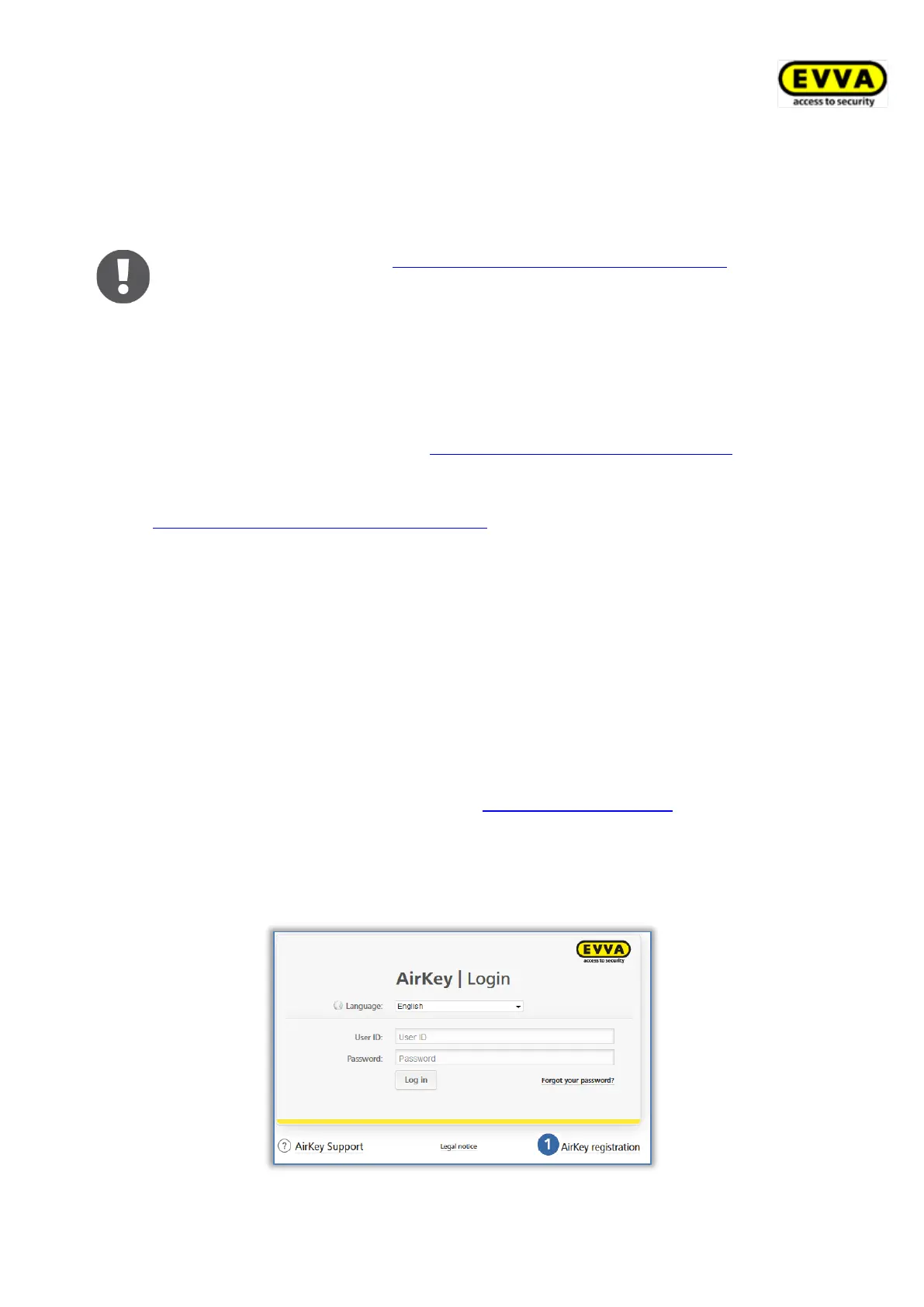
> Open the following page in your browser: https://airkey.evva.com.
The AirKey Online Administration login page opens.
> Select your preferred language.
> Click the AirKey registration link.
Figure 3: "AirKey registration"link



 To Next Page
 Loading...