Important: Other clients’ media will no longer be able to unlock locking
components once you have updated the corresponding locking components.
Shared locking components can only be deleted using the access control
systems from which the share had originally been enabled.
You must not update the locking component if the sharing code has not
been used to date and it has been deleted as described in this section.
11.6 Using smartphones in several systems
You can register your smartphone to several access control systems and use it as a medium.
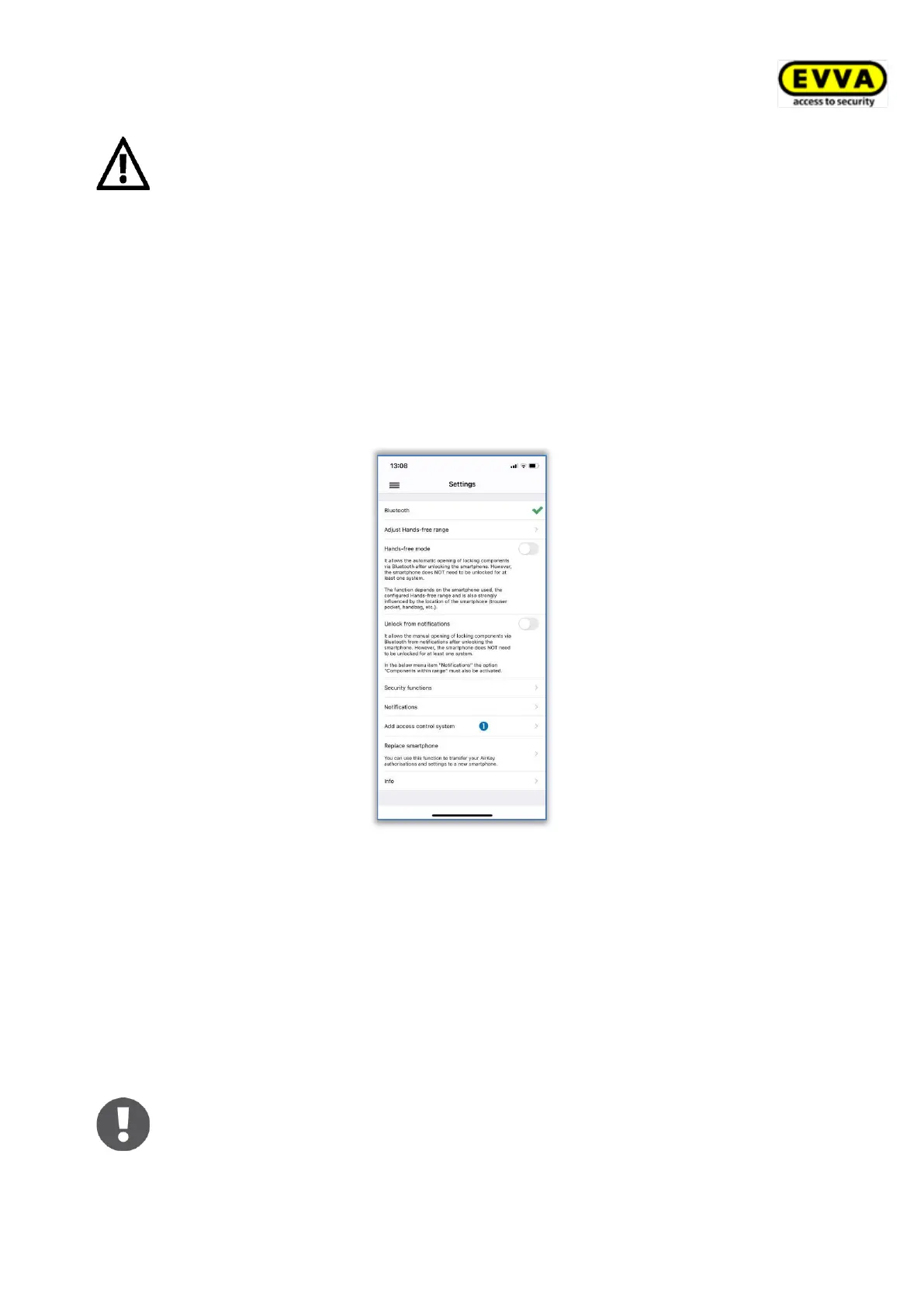
> Open the main menu of the AirKey app and select Settings → Add access control
system .
Figure 319: Adding access control systems
> For Android, the dialogue for entering the registration code is displayed automati-
cally. For iOS, tap on Registration code already received to skip entering the
phone number and proceed to entering the registration code.
> Enter the registration code you received from the access control system administrator
and tap Register.
> If you have activated a PIN code for the AirKey app, you must enter and confirm it.
As a result, the smartphone has been registered in another access control system.
If the registration code for another access control system was sent via SMS,
it is sufficient to tap on the link of the SMS to automatically start and
perform the registration.


 To Next Page
 Loading...