> EVVA AirKey product website – link to AirKey product website
> Exit coding station application – quits the coding station application.
4.5.4 Solutions for possible problems with the coding station
The LED indicates the coding station is ready for operation once it has been connected.
Disconnect and reconnect if the coding station does not indicate it is ready for operation. If
necessary, re-install the coding station drivers.
The coding station application is automatically quit upon shutting down the
computer. Create an application shortcut to the AirKey.jnlp-File and save it in
the auto start folder.
The coding station application ends after starting
By default, the coding station application uses port 50743 for communication with the
browser. If this port is used by another program, the coding station application cannot be
started. On Windows 10 or later, this port can be used by Hyper-V. You can prevent Hyper-V
from using this port as follows:
> Deactivate Hyper-V:
C:\> dism.exe /Online /Disable-Feature:Microsoft-Hyper-V
> Restart the computer.
> Add an exception for port 50743:
C:\> netsh int ipv4 add excludedportrange protocol=tcp startport=50743
numberofports=1
> Reactivate Hyper-V:
C:\> dism.exe /Online /Enable-Feature:Microsoft-Hyper-V /All
> Restart the computer.
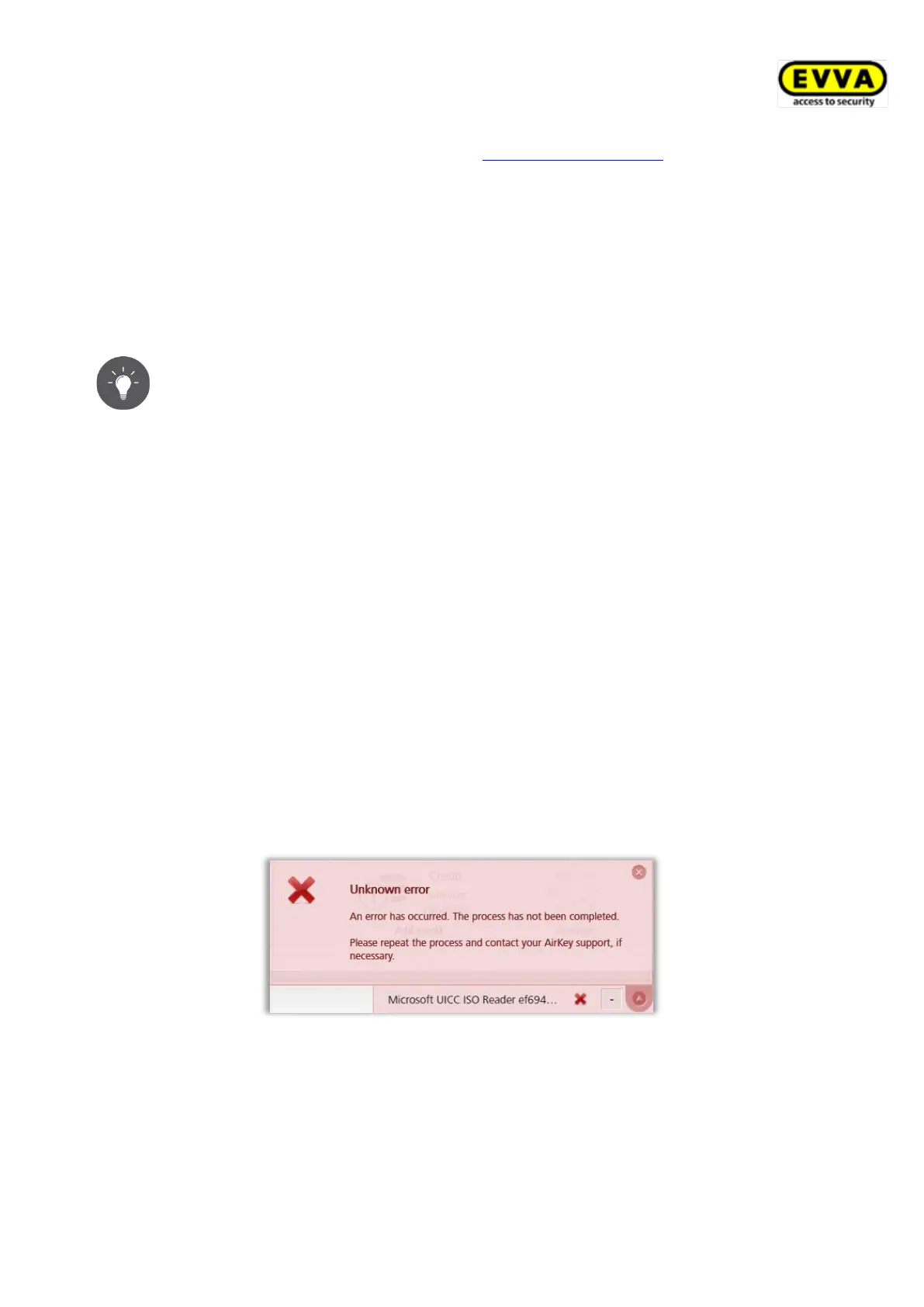
The Microsoft UICC card reader is selected as the coding station
Figure 20: Microsoft UICC card reader in AirKey Online Administration
As a solution, this card reader can be deactivated in the Windows Device Manager:
Device Manager → Software devices → Microsoft UICC ISO Reader → Disable device


 To Next Page
 Loading...