> A confirmation prompt completes the process. The medium is now available for
management in the AirKey Online Administration – and it must now be assigned to a
person.
This process is identical for cards, key fobs, combi keys, and wristbands. All
three elements are grouped in "Card".
4.13 Assigning persons to media
As part of the continue step, you must assign the medium to a person within the AirKey
Online Administration to be able to assign authorisations. This is the only way to link persons
to access events.
> On the Home screen, select the Smartphones or Cards tile.
> Alternatively select Media & persons → Media in the main menu.
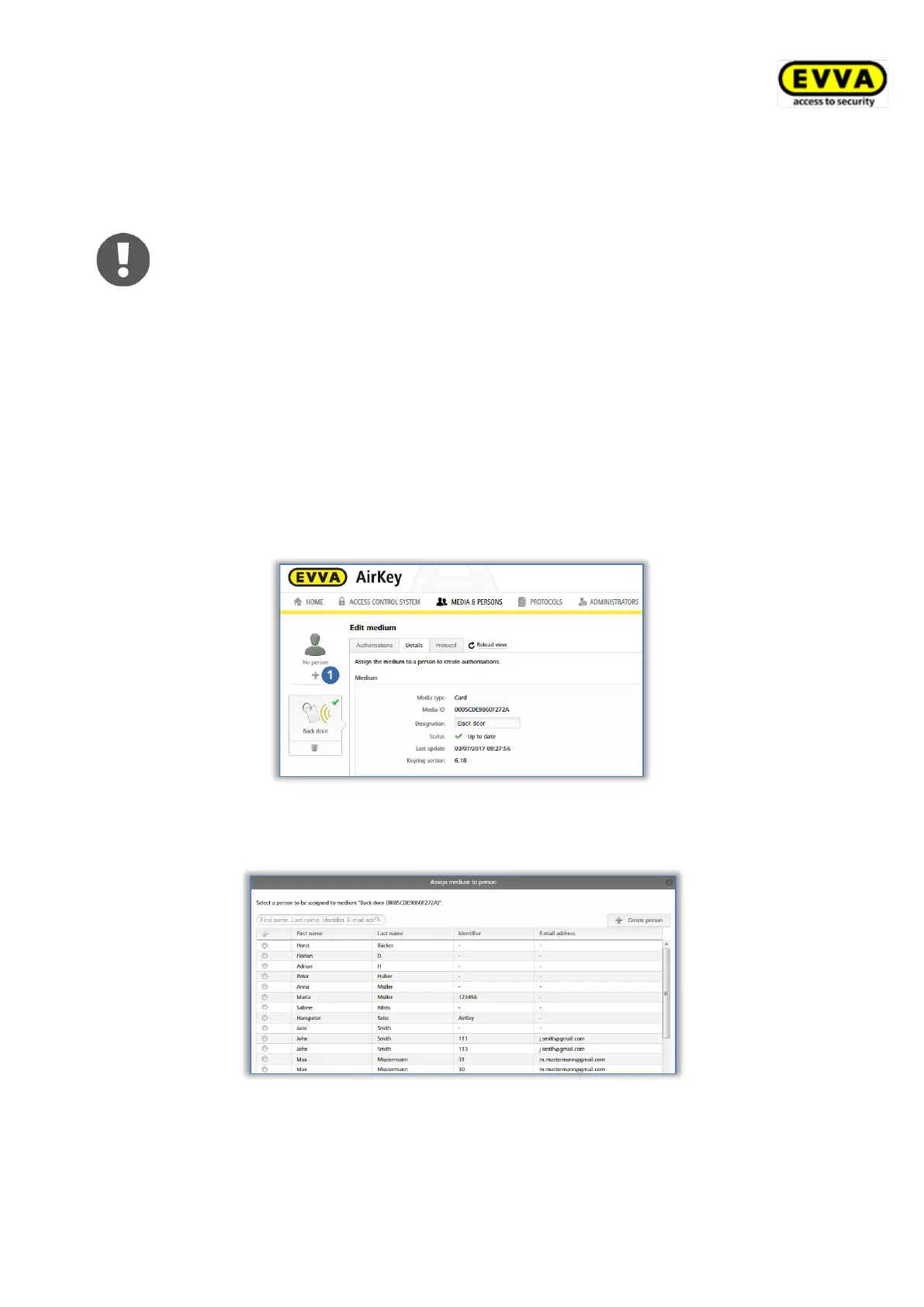
> Select the medium that has not been assigned to a person yet in the media list.
> Continue to the No person button click the + icon
Figure 73: Assigning persons
> Select the person from the persons list you would like to assign this medium to.
Figure 74: Assigning persons to media
> If a certain user has not been created yet, use the Create person button to open a
second dialogue window, "Assign medium to person".


 To Next Page
 Loading...