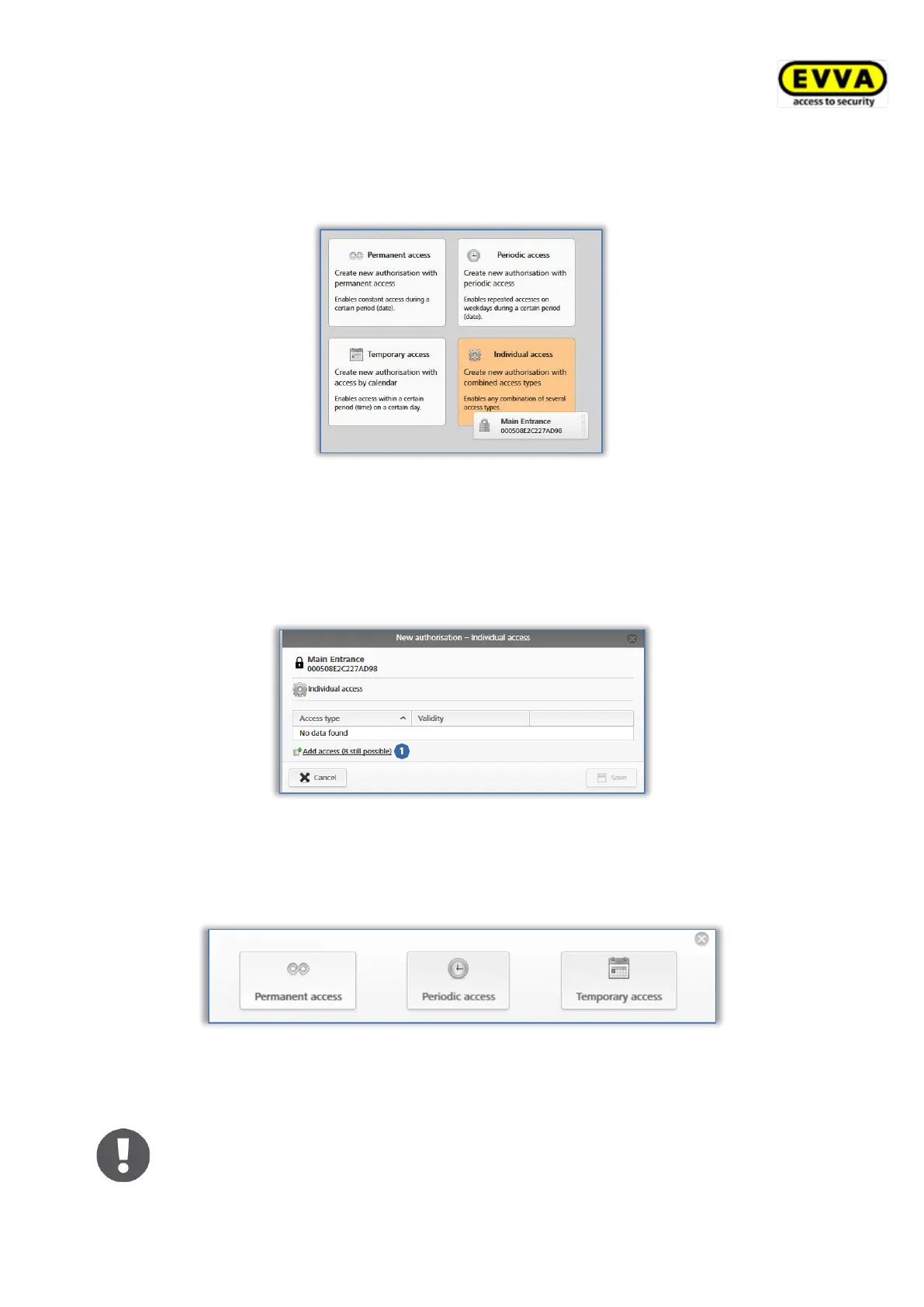
4.14.4 Individual access
Assign individual access authorisations if you require a combination of permanent access,
single access, and periodic access.
Figure 84: Assigning individual access
> The "New authorisation – Individual access" dialogue window shows any individual
access authorisations you have already assigned.
> Click an entry in a row to change the authorisation.
> Alternatively click Add access for a new entry.
Figure 85: New authorisation – individual access
Select permanent access, periodic access or temporary access and define the
specifications in each case. The parameters correspond to the access authorisations
that have been described above.
Figure 86: New authorisation – individual access
> Click Save once you have configured all authorisations for individual access.
> Permanent access and periodic access periods must not overlap.
> It is possible to define a maximum of one individual access period per
day.


 To Next Page
 Loading...