Setting the SCSI ID
After you have unpacked the tape drive, you can set the tape
drive’s SCSI ID. You can use either of the following methods:
■
Attach jumpers (shunts) to the pins on the tape
drive’s SCSI ID jumper block. Jumpers are already
installed on the jumper block when the tape drive is
shipped.
■
Connect a remote switch to the SCSI ID jumper block
on the back of the tape drive.
Setting the SCSI ID with Jumpers
To set the SCSI ID using jumpers, follow these steps:
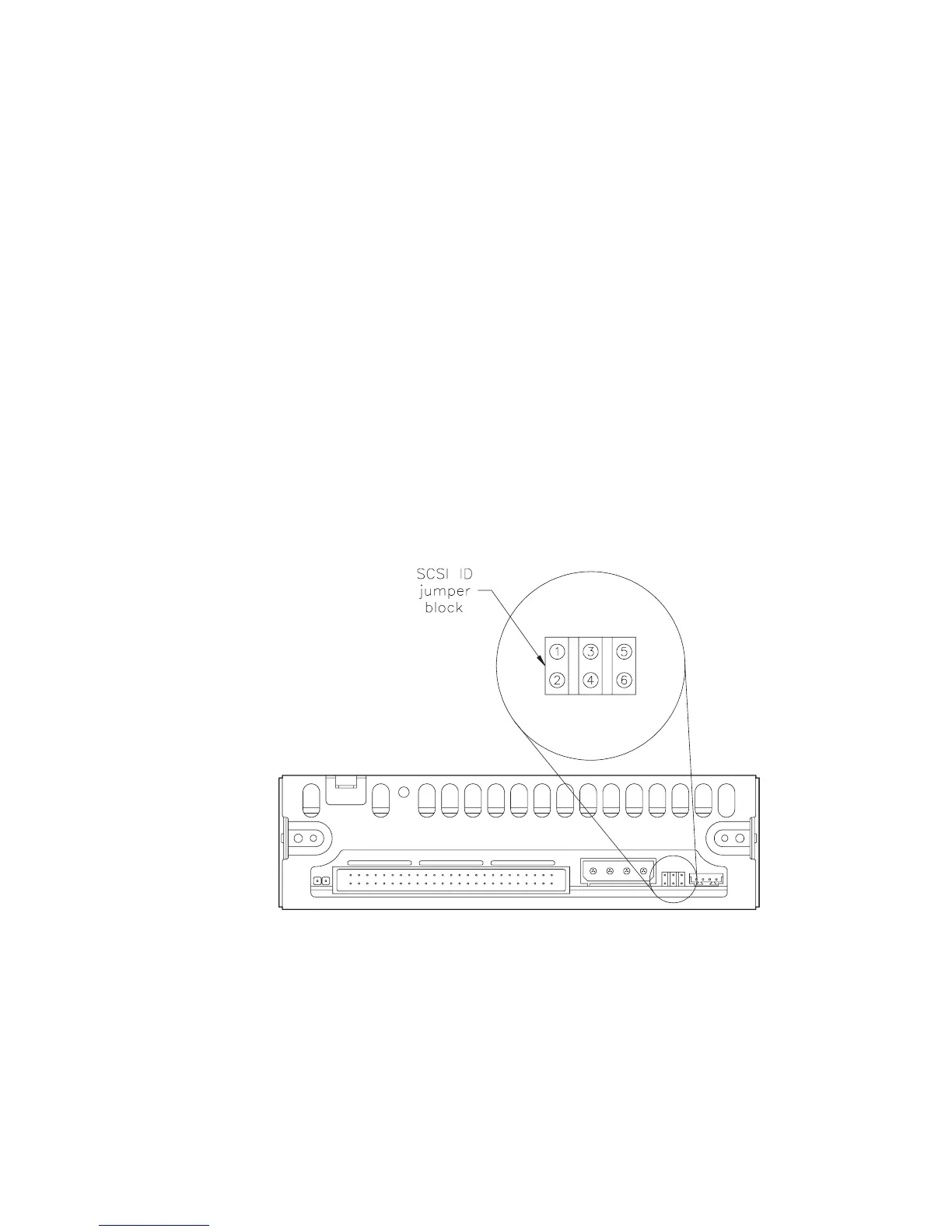
1. Locate the SCSI ID jumper block on the back of the
tape drive, as shown in Figure 1.
2. Remove the jumpers from the jumper block to
obtain the correct address for your configuration.
Figure 2 shows how to position the jumpers for
addresses 0 through 7.
Figure 1 SCSI ID jumper block on the back of the tape
drive
May 1994 EXB-8205 and EXB-8505 (Standard and XL)
9


 To Next Page