Step 4
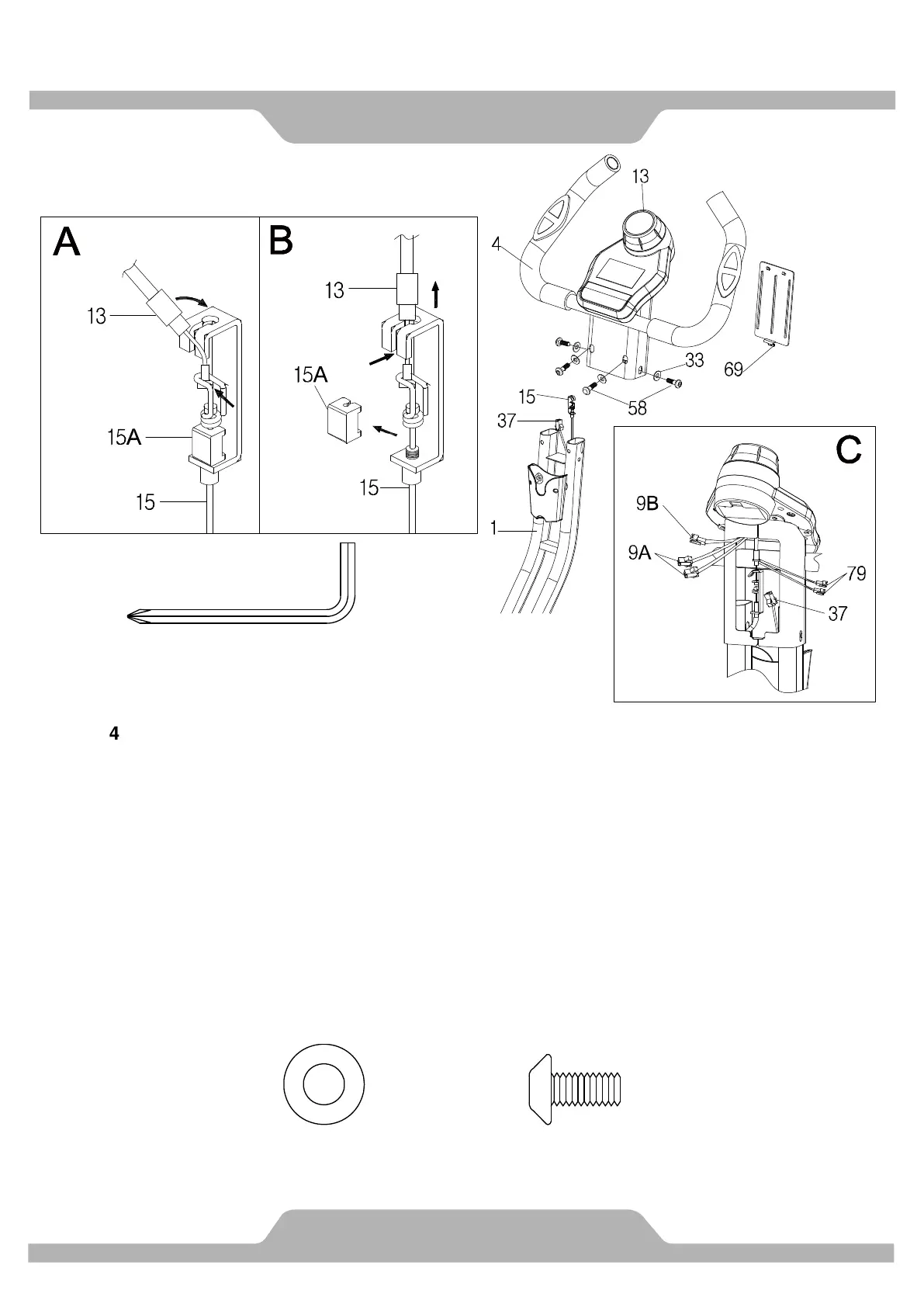
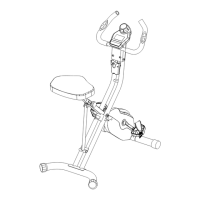
Insert the Handlebar (4) into the Front Frame (1), and tighten with four Flat Washers (33) and
Hexagon Socket Bolts (58) by using 5mm Allen Wrench provided.
Put the cable end of resistance cable of Tension Control Knob (13) into the cable lock of
Sensor Wire (15), see Figure A.
Pull the resistance cable of Tension Control Knob (13) up and force it into the slot of metal
bracket of Tension Cable (15), Turn the tension control knob towards the highest setting
(clockwise) until the nuts are seated firmly on top of the metal bracket and gently remove the
Clip (15A) after well-connected the resistance cable of Tension Control Knob (13) and Tension
Cable (15) See Figure B.
Connect the Hand Pulse Sensor (9A) with Hand Pulse Sensor Wire (79), then connect the
Computer Wire (9B) with Sensor Wire (37) see Pic E. Attach the Console Cover (69) onto the
console.
Hardware:
(58) Hexagon Socket Bolt
M8x15 4PCS
4 PCS
Phillips Screwdriver
1PC
(33) Flat Washer
Ø8.2xØ16.8 4PCS


 To Next Page