3003792-2018-11-05.fm0 GB - Web server – Product instruction
5/84
1. GB - Web server – Product instruction
The EXHAUSTO web server is used to control and monitor ventilation and can be used
with VEX100EXact, VEX200EXact and VEX300EXact. This allows the following
applications:
1.Monitor and configure the VEX unit using a local PC.
2.The VEX unit can be connected to a local network (LAN/WLAN) and accessed
via PCs or tablets and smartphones if these are connected to the same WLAN
network.
3.The VEX unit can be connected to the internet and accessed by external PCs,
tablets and smartphones (requires Port Forwarding).
The web server menu and settings are equivalent to the menu and settings found in the
EXact control system’s HMI panel. The EXact functionality, settings, etc., are described
in “EXact Basic Instructions”.
Browsers The EXHAUSTO web server uses the following browsers:
• Firefox version 63 or later
• Internet Explorer 11 or later
• Google Chrome version 70 or later
• Safari (iOS 12 or later)
Connection
of network
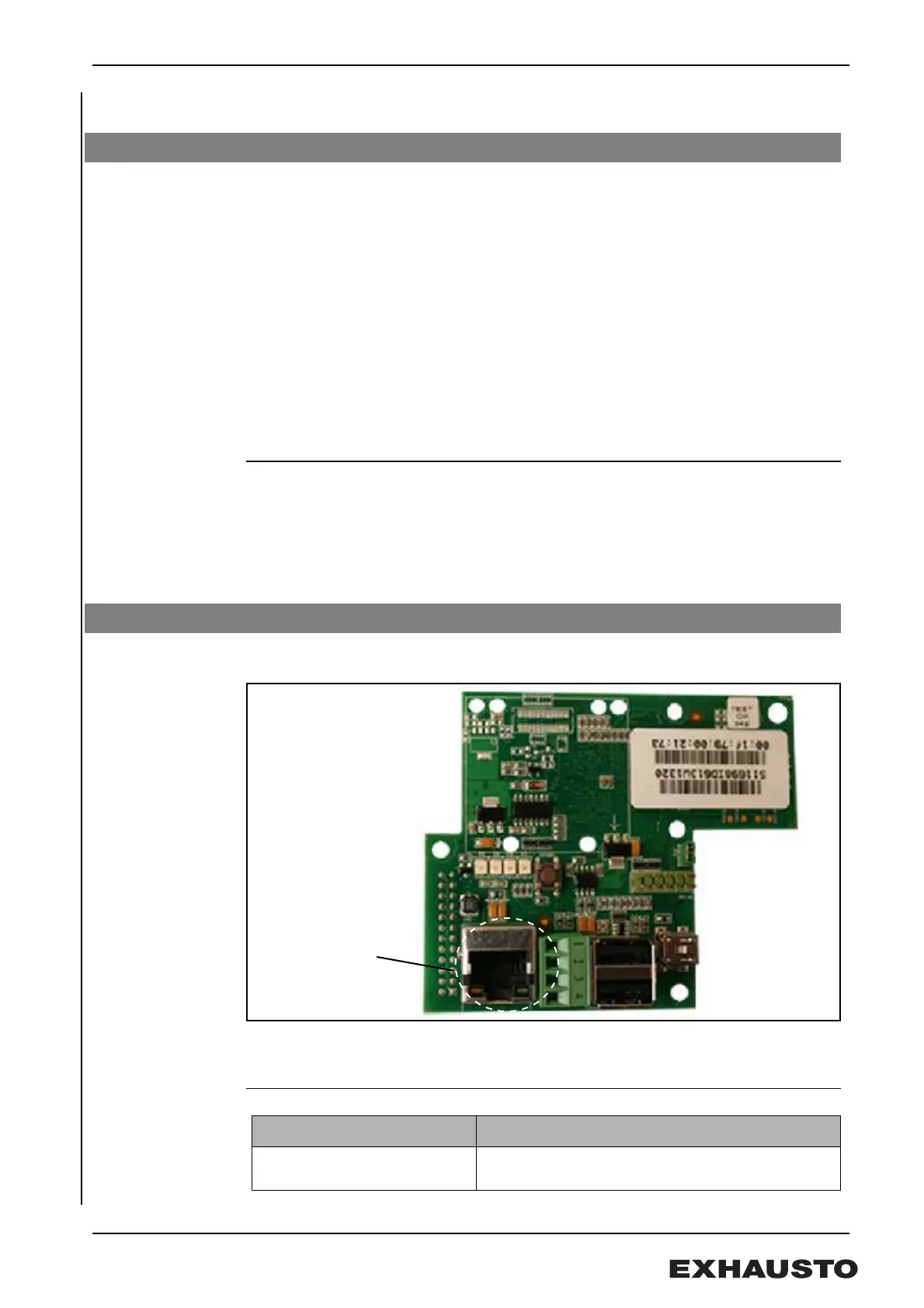
Connect the network to the Ethernet plug. If the web server is to be connected directly
to the computer, use crossover cable. However, this is not necessary with newer PCs.
MAC-address The web server MAC address can be read on the label on the web server PCB and also
in Menu 3.6 in the HMI panel.
Cable type and
length
1.1 Product information
1.2 Connecting and configuring
Cable
Cable length
CAT5E STP cable (shielded
cable)
EXHAUSTO recommends max. cable length: 70 m


 To Next Page