3003792-2018-11-05.fm0 GB - Web server – Product instruction
7/84
1.4.1 Front page
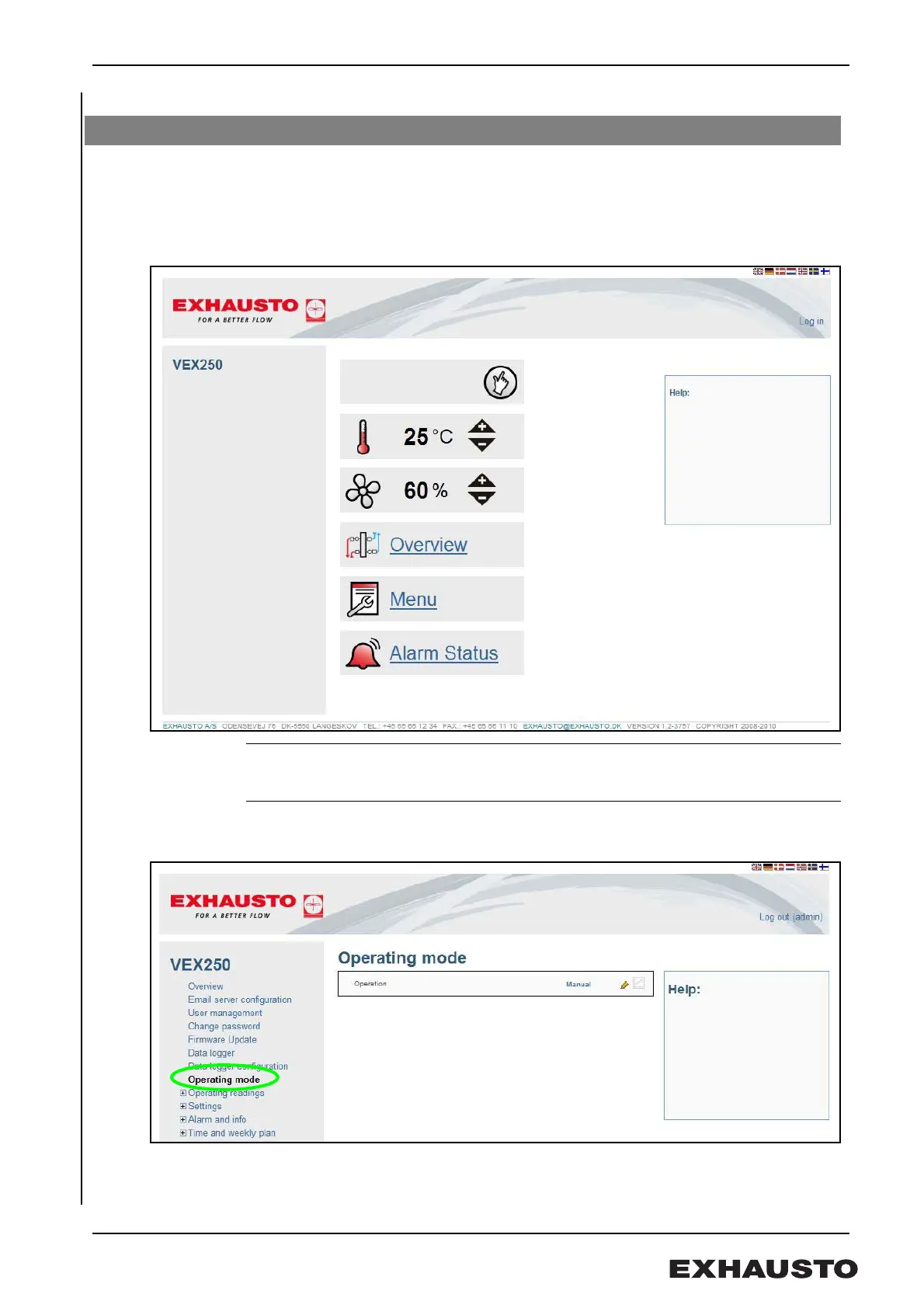
On the front page you can:
• Change the temperature set point
• Set ventilation (airflow)
• Access advanced settings
Help function The Help Box on the right of the screen is activated/displays the relevant text inside the
box when the mouse cursor moves over a menu item or menu bar.
1.4.2 User interface
The EXact web server functions like a website, i.e. using the mouse to navigate.
Menu Click on the menu bar “Menu” to show the following display: The menu display
gives access to other settings; dependent on your user profile.
1.4 User interface



 To Next Page