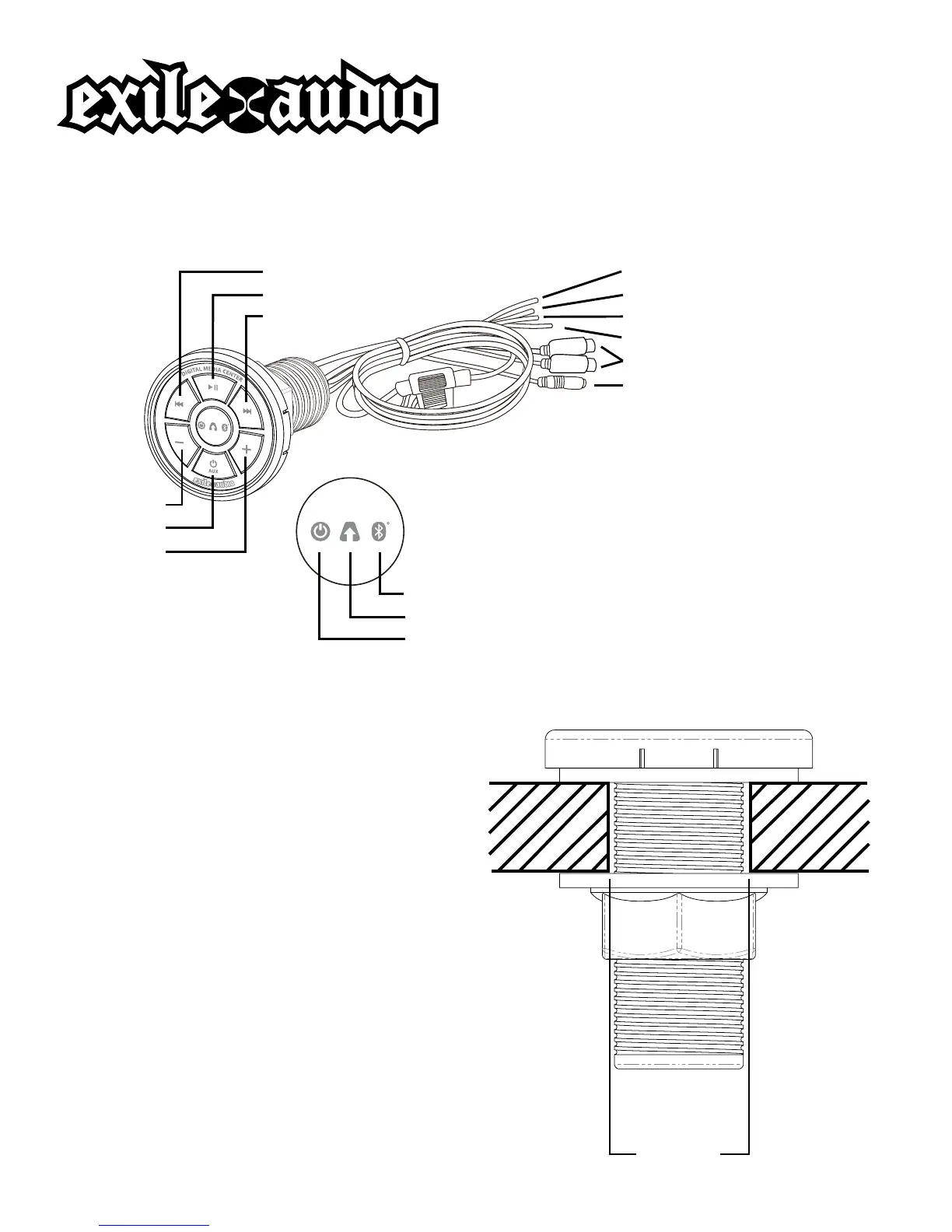
Red (+12v Constant) Power
Black (-12v) Ground
Blue - Remote Turn On
Blue with White Stripe - Remote Out
RCAs - Output to Amplier
Red (3.5mm) Auxillary Input
Previous
Play/Pause
Next
Blue - Bluetooth® LED
Yellow - Auxillary LED
Red - Power LED
Volume -
Power/Aux
Volume +
EXMC1 Owner’s Manual
Bluetooth® Digital Media Center
CONNECTION DIAGRAM
FLUSH MOUNT INSTRUCTIONS
1. Drill a 1 1/8” (30mm) diameter hole.
2. Unscrew the locking nut from the
back of the device and remove one
of the rubber gaskets.
3. Slide the device through the hole
and reattach the rubber gasket
and locking nut. Orientation can be
adjusted simply by loosening the
locking nut and rotating the device.
1 1/8”
(30mm)


 To Next Page