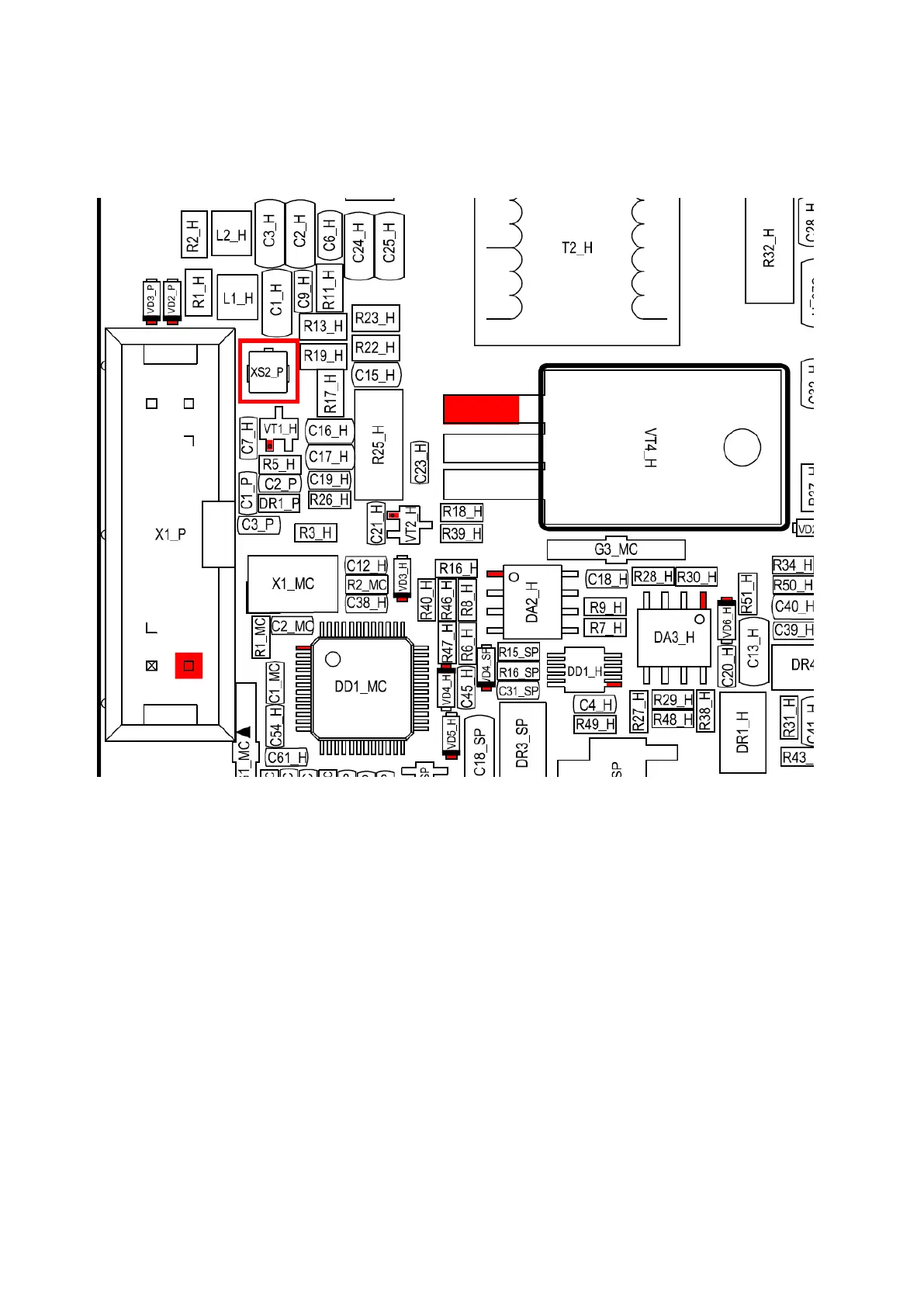
3. Connect a 50Ohm – 100W dummy load and go to TX with 100% Drive level.
4. Check the HF voltage on the XS2P connector, it should be around 1V.
5. Check RD16 and RD100 transistors to make sure they are not short-circuited.
6. Then do the output power check according to the picture below.
RD16 red contacts (gates) transistors input.
RD16 yellow contacts HF amplitude should be increased in comparison to red contacts.
RD100 green contacts (gates) transistors input.
RD100 blue contacts HF amplitude should be increased in comparison to green contacts.



 To Next Page