EasyManua.ls Logo

Exploit Hermes 2000 - Releasing the Platen

Default Icon
16 pages
Print Icon
To Next Page IconTo Next Page
To Previous Page IconTo Previous Page
Loading...
General
Rules
Location
of
Line
or
Letter
(corrections,
additions.
etc.)
Releasing
the
Platen
a)
for
writing
between
two
lines:
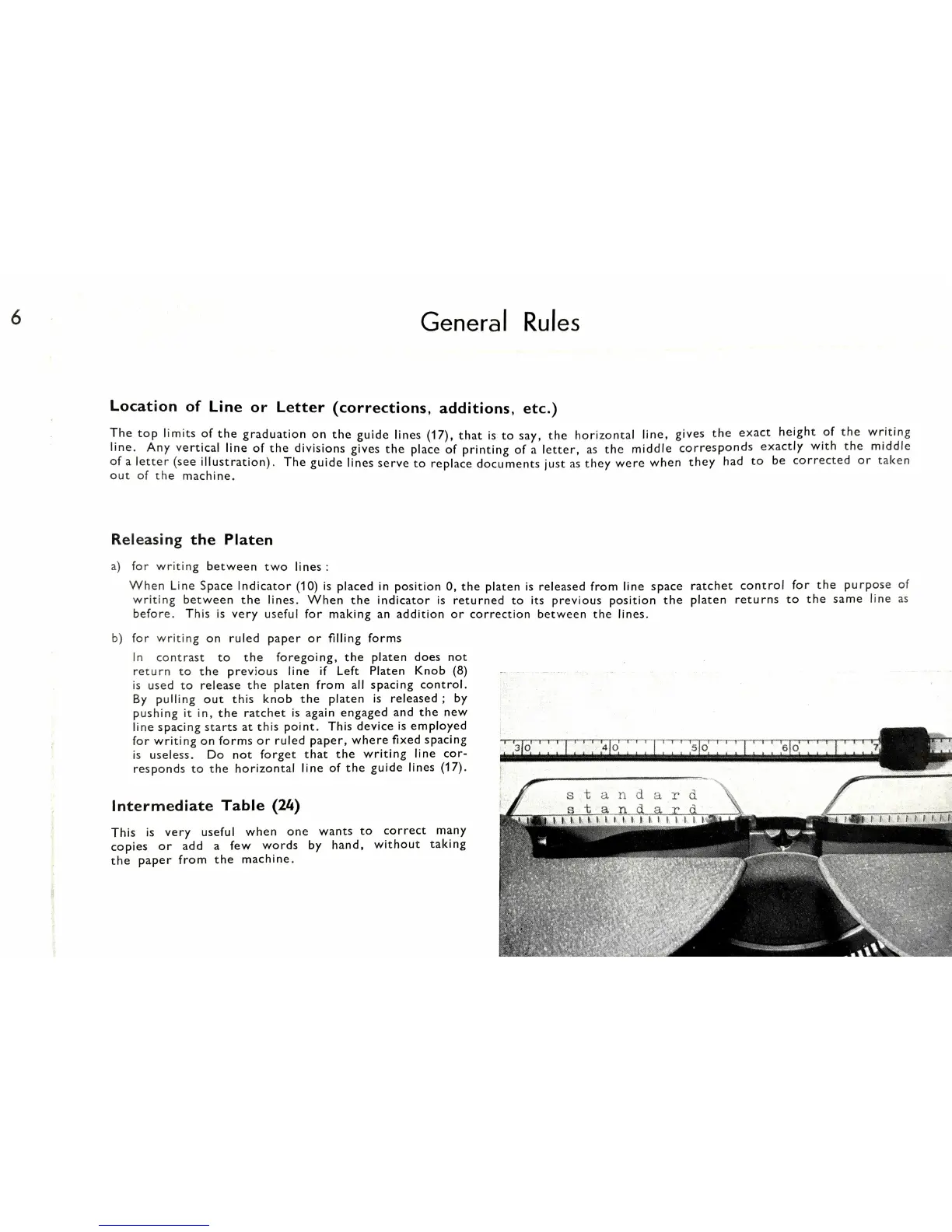
The
top
limits
of
the
graduation
on
the
guide
lines
that
is
to
say.
the
horizontal
line.
gives
the
exact
height
of
the
writing
line.
Any
vertical
line
of
the
divisions
gives
the
place
of
printing
of
a
letter.
as
the
middle
corresponds
exactly
with
the
middle
of
a
letter
(see
illustration).
The
guide
lines
serve
to
replace
documents
just
as
they
were
when
they
had
to
be
corrected
or
taken
out
of
the
machine.
When
Line
Space
Indicator
(10)
is
placed
in
position
0,
the
platen
is
released
from
line
space
ratchet
control
for
the
purpose
of
writing
between
the
lines.
When
the
indicator
is
returned
to
its
previous
position
the
platen
returns
to
the
same
line
as
before.
This
is
very
useful
for
making
an
addition
or
correction
between
the
lines.
b)
for
writing
on
ruled
paper
or
filling
forms
in
contrast
to
the
foregoing,
the
platen
does
not
return
to
the
previous
line
if
Left
Platen
Knob
(8)
is
used
to
release
the
platen
from
all
spacing
control.
By
pulling
out
this
knob
the
platen
is
released;
by
pushing
it
in,
the
ratchet
is
again
engaged
and
the
new
line
spacing
starts
at
this
point.
This
device
is
employed
for
writing
on
forms
or
ruled
paper,
where
fixed
spacing
is
useless.
Do
not
forget
that
the
writing
line
cor-
responds
to
the
horizontal
line
of
the
guide
lines
Intermediate
Table
(24)
This
is
very
useful
when
one
wants
to
correct
many
copies
or
add
a
few
words
by
hand,
without
taking
the
paper
from
the
machine.
stell‘idar’d
i