10
ALARM
SETTING/ADJUSTING ALARM TIME
1. Press [ ] to display the alarm.
2. Press and hold [ ] button to enter alarm
setting mode.
3. The setting parameter will flash.
4. Press [ ] or [ ] button to set the desired data.
5. Press [ ] button to confirm setting and exit.
6. Alarm will turn on automatically when alarm setting
is finished.
TURN ON/OFF ALARM
Press the [ ] button to turn on/off the alarm.
OPERATION
1. At the set time, alarm signal rings.
2. During the alarm, press the [ ] button to delay
the alarm by 8 minutes.
3. If you do not press any button to stop the alarm, it
will automatically turn off after 2 minutes.
4. To stop the alarm, press any other button, except
for
5. The alarm will start again at the next alarm time,
unless y
ou switch off the alarm function by press-
ing the [ ] button until the alarm is set to off.
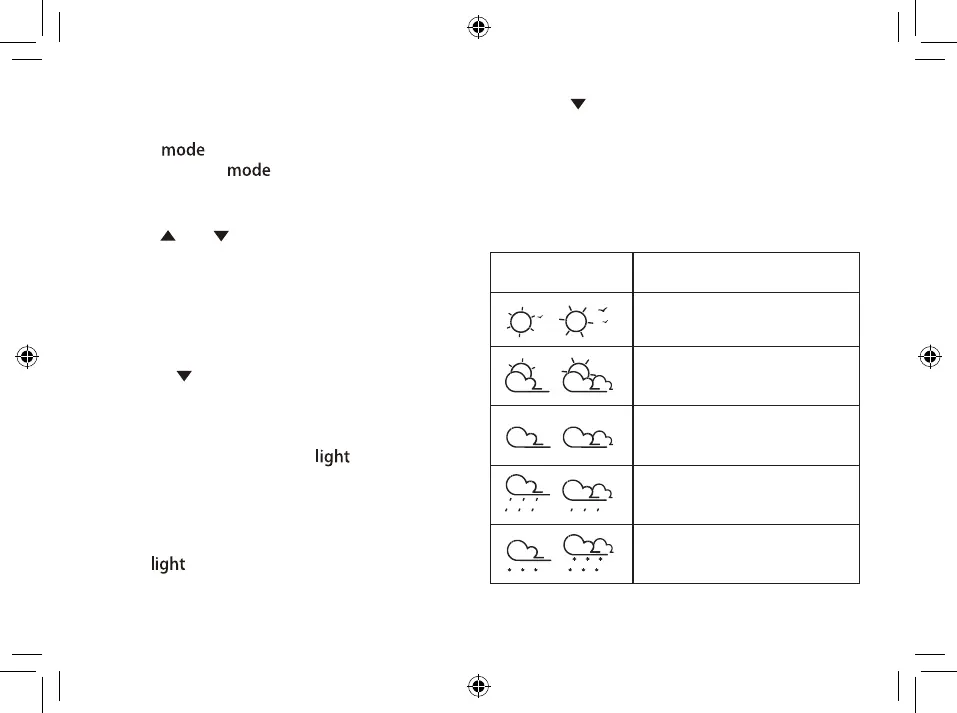
WEATHER FORECAST
This device forecasts the next 12-24 hours of weather
within a 30-50 km (19-31 mile) radius with a 75% ac-
cuarcy.
SYMBOL DESCRIPTION
Sunny
Sunny to cloudy
Cloudy
Cloudy to rain
Cloudy to snow
mode
In normal mode:
[ ].



 To Next Page