EasyManua.ls Logo

Explore Scientific WSH4008 - Lcd Display

Explore Scientific WSH4008
44 pages
Print Icon
To Next Page IconTo Next Page
To Previous Page IconTo Previous Page
Loading...
BUTTON
MODE
SNZ/LIGHT
Standard
mode
PRESS
Turn on backlight
(Adjust brightness
when connect
with adapter
or batteries.)
SNOOZE when
alarm is ringing.
HOLD
Time
setting
mode
PRESS
_______
HOLD
_______ _______
Alarm
setting
mode
PRESS
_______ _______
HOLD
_______ _______
ALARM ALERT CH /RCC
/CF
MODE
Set
the snooze time
Turn Alarm
on/off
Stop alarm
(ringing)
_______
Enter
into time
and
date setting
_______
_______
_______
_______
_______
_______
_______
_______
Check
the high/low
temperature
Set
the temperature
alert.
Toggle between
outdoor sensor
channel 1-3.
Initiate
outdoor sensor
search.
Select
12H or 24H
Initiate RCC
receiving
Decrease
Quick
Decrease
Decrease
Quick
Decrease
Increase
Increase
Quick
Increase
Quick
Increase
C
F
Select
or
_______
Toggle
between
time and alarm
display
Enter
into time
or
alarm setting
Confirm
setting
_______
_______
_______
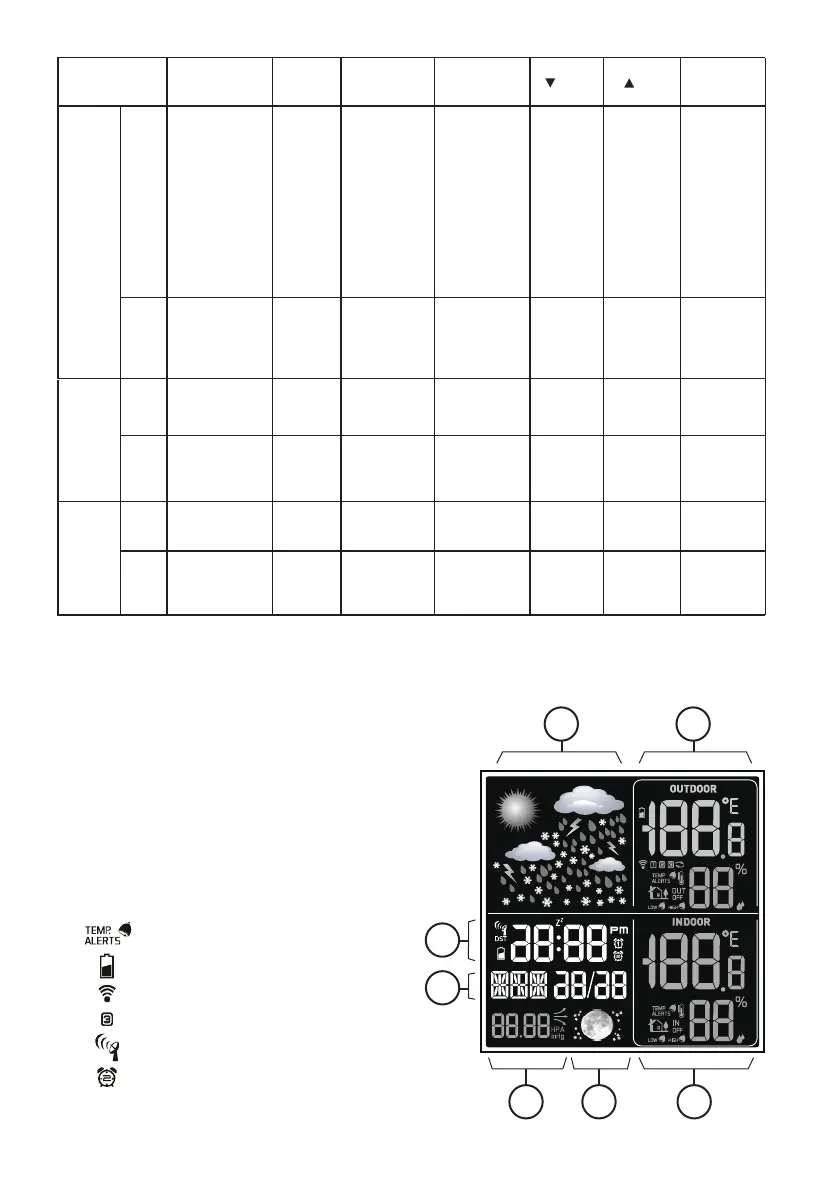
LCD DISPLAY
1. Weather Forecast symbols
2. Outdoor Temperature
and Humidity display
3. Time/Alarm display
4. Calendar
5. Barometer display
6. Moon phase display
Indoor Temperature
and Humidity display
[ ] Temperature alert indicator
[ ] Low battery indicator
[ ] RF Indicator
[ ] Outdoor channel indicator
[ ] RCC signal indicator
[ ] Alarm
7.
1
2
3
4
5 6 7
4

Related product manuals