Figure 5
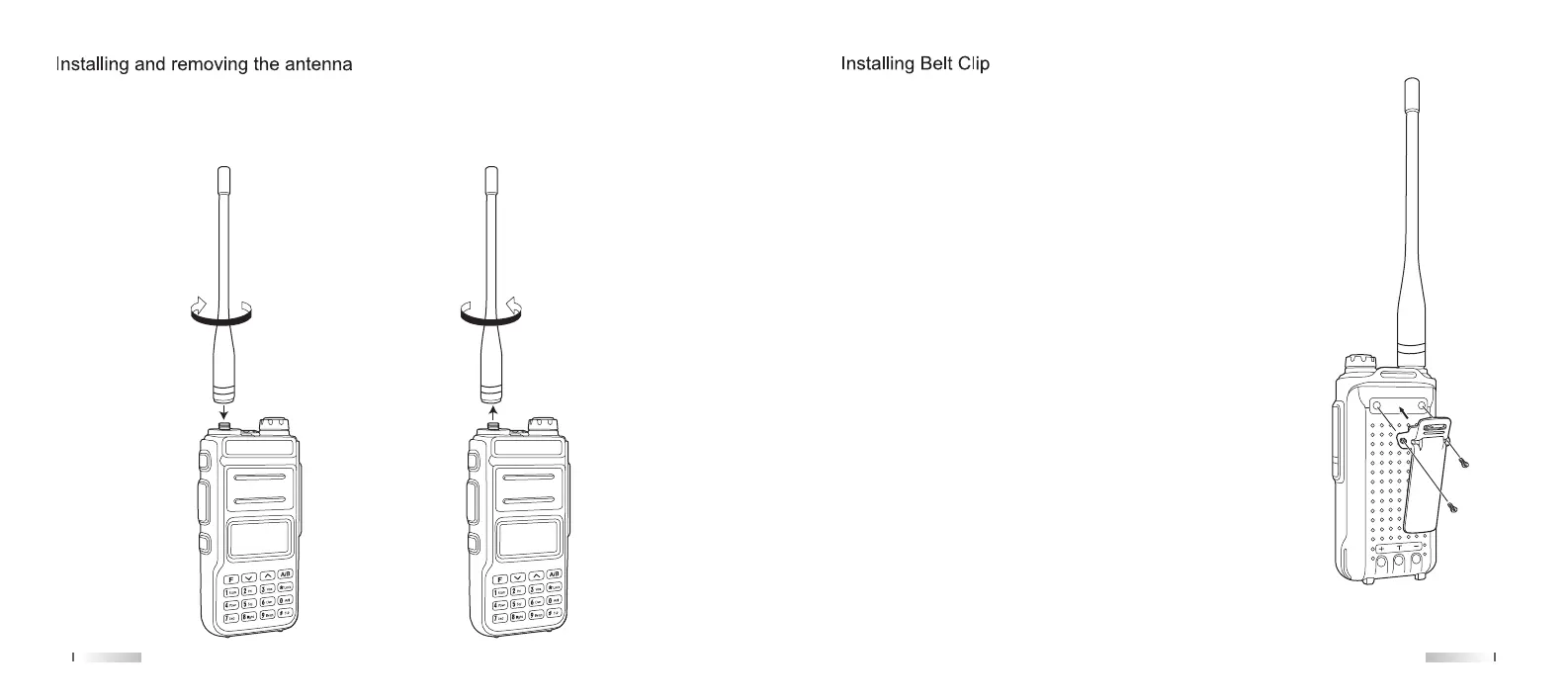
1) Align the threaded end of the antenna and the threaded hole at the top of the
radio, then rotate the antenna clockwise until it is secured. (Figure 3)
2) To remove the antenna, rotate it counter-clockwise until the antenna is detached.
(Figure 4)
Align the two holes in the belt clip with the two holes in the radio and attach
using the supplied M2.5x5 screws. (Figure 5)
Figure 3 Figure 4
07 08


 To Next Page