15
9. PAUSE TRACKING
10. SWITCHING OFF THE OLAS N2K
11. STOP TRACKING AN OLAS TRANSMITTER (without the OLAS mobile app)
12. STOP TRACKING OLAS TRANSMITTER (with the OLAS mobile app)
13. LOW BATTERY ALERT
1. Press the control switch for 2 seconds, release the control switch after a single beep.
2. When in Paused state the control switch will ash green for 3 seconds ON/ 3 seconds OFF followed by
a single beep sound signal.
3. Press the control switch once to restart tracking.
NOTE: if you have removed an OLAS transmitter whilst the OLAS N2K is in paused state it will beep 3 times
and remain in the Paused state.
• The OLAS T2 can be adjusted using the OLAS mobile app so that it either cuts the engine and
triggers the alarm when it is switched off (default) or it disconnects silently.
NOTE: if the OLAS T2 is allocated as a Smart Key it will cut the engine and activate Smart Lock.
• To remove any OLAS transmitter without using the OLAS app the OLAS N2K will need to be switched
off.
• Once the OLAS N2K is switched off, switch off the transmitters you wish to stop tracking. The OLAS
N2K will ‘forget’ these devices.
• Switch the OLAS N2K back on and it will track those OLAS transmitters that are still switched on and
within range.
• Open the OLAS mobile app.
• Select the OLAS N2K from the device selection page.
• All OLAS transmitters that are being tracked will be indicated on the home page.
• Click on the right hand of the OLAS transmitter box to cycle it though the different operating states.
Once it is in Paused state and it appears greyed out then the OLAS transmitter can be switched off
and it will be removed from Tracking without activating an alert.
• A low battery alert will be initiated by the OLAS N2K when an OLAS tag’s battery level goes below
20%.
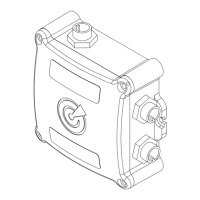
• The alert is indicated by a red ash every 10 seconds on the control switch and the OLAS N2K Hub.
• The alert will remain until the battery is charged (OLAS T2) or changed (OLAS Tag).
• You can check which OLAS tag has low battery using the OLAS app.
• Once you have located the tag you can:
a. Pause the OLAS N2K, charge or change the battery and restart tracking.
b. Switch off the OLAS N2K, switch off the OLAS tag and then restart the OLAS N2K.
c. Pause the OLAS tag in the OLAS mobile app and then switch off the OLAS tag.
• The OLAS N2K can be switched off at any point by pressing the control switch for 4 seconds.
• The control switch will illuminate red with a long beep before switching off.
EXPUG31.indd 15EXPUG31.indd 15 15/05/2023 12:1815/05/2023 12:18


 To Next Page
 Loading...