14
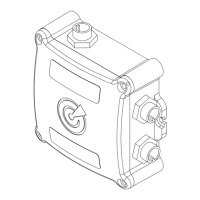
• To track a new OLAS transmitter it needs to be switched on and brought into ‘Close’ range of the
OLAS N2K hub. This is around 0.5 metres. If it is not automatically tracked move it closer to the
OLAS N2K hub.
• Once the OLAS transmitter is automatically tracked the OLAS N2K hub will beep twice.
• Open the OLAS mobile app.
• Select the OLAS N2K from the device selection page.
• All OLAS transmitters that are being tracked will be indicated on the home page.
• Use the homepage to check the battery life of the OLAS transmitters.
• Customise the OLAS transmitters name.
• Check OLAS tags battery status.
• Enable/disable cut-off switch for individual OLAS transmitters.
• Pause OLAS transmitters.
• Pause all tracking.
• Press the control switch once.
• The number of tracked OLAS transmitters is indicated with a single beep sound signal and one
green ash per transmitter. Up to 25 transmitters can be tracked.
• Connect the OLAS mobile app to the OLAS N2K.
• Navigate to the home screen.
• Any non-tracked OLAS transmitters within range of the OLAS N2K will appear on the home screen
greyed out.
• Click on the right-hand side of the tag and select track.
• The OLAS N2K hub will beep twice to indicate a tag has been tracked.
• To track a previously tracked OLAS transmitter it needs to be switched on and brought into ‘Near’
proximity which is around 3 metres away. If it is not automatically tracked move it closer to the OLAS
N2K hub.
• When the OLAS transmitter is automatically tracked the OLAS N2K hub will beep twice.
3. TRACKING A NEW OLAS TRANSMITTER
4. TRACKING A PREVIOUSLY TRACKED OLAS TRANSMITTER
5. TRACKING AN OLAS TRANSMITTER USING THE OLAS MOBILE APP
6. CHECKING LOGGED OLAS TRANSMITTERS (without the OLAS mobile app)
7. CHECKING LOGGED OLAS TRANSMITTERS (with the OLAS mobile app)
8. OLAS MOBILE APP FEATURES (basic)
EXPUG31.indd 14EXPUG31.indd 14 15/05/2023 12:1815/05/2023 12:18


 To Next Page
 Loading...