17
DO NOT USE ON DIESEL ENGINES
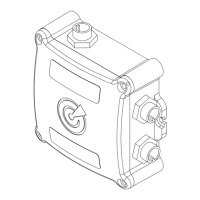
OLAS Smart Lock is a theft deterrent and secondary locking system.
When OLAS Smart Lock is enabled, if the OLAS N2K is switched off and back on it will lock the vessel’s
emergency stop system, preventing the engine from being started.
OLAS Smart Lock can be unlocked using the OLAS mobile app or an allocated Smart Key.
OLAS Smart Lock is to be used in conjunction with the engine connection cable and can only be used if the
OLAS N2K has been wired into the vessel’s engine stop system.
OLAS Smart Lock is designed for use on Outboard engines only.
Do not use OLAS Smart Lock with inboard diesel engines or Volvo Penta engines.
Ultimate Sports Engineering Ltd and afliated resellers cannot be held responsible if a theft occurs whilst
OLAS Smart Lock is being used.
c. Solo Mode (minimum 2G connection required) – designed for boaters operating on inshore waters
or on connected vessels. The OLAS mobile app inputs the vessel information manually entered
during setup and sends a distress SMS with the vessel name, time, location, and contact number.
i. Select the menu tab in the top left-hand corner of the home screen (3 lines).
ii. Select ‘Solo Mode’.
iii. Enter in ‘Your Number’, this will be sent to your emergency contact so that they can try to
make contact after receiving an alert.
iv. Enter in your ‘Emergency Number’, this number will receive your MOB alert and location.
You must use your country code prex e.g. UK(+44) US(+1).
v. Select your ‘Message Delay’ period, this is the amount of time before the MOB alert SMS
is sent. A longer period allows more time for self-rescue. A minimum of 1 minute is advised.
vi. If a MOB alert message has been sent and the alarm is then manually cancelled an alert
cancellation message will be sent.
d. Overboard recovery aids – The GPS location was stored on the OLAS mobile app when the MOB
alert occurred.
i. Once the vessel is 20 metres away from the MOB alert location an arrow directs back.
ii. The second screen shows easy to read GPS coordinates for the alert location and the
vessel’s current location. This information is requested by the emergency services if a
Mayday call is made.
iii. On the third screen selecting the phone icon directs the user to call their previously input
emergency services number.
iv. On the third screen selecting the VHF icon displays the VHF script for a MOB Mayday call
with the custom vessel information and alert location automatically input.
17. OLAS SMART LOCK
EXPUG31.indd 17EXPUG31.indd 17 15/05/2023 12:1815/05/2023 12:18


 To Next Page
 Loading...