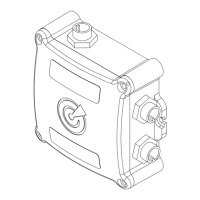
18
OLAS Smart Lock Setup.
1. Connect the OLAS mobile app to the OLAS N2K as normal.
2. Enable OLAS Smart Lock – this means the vessel’s emergency stop system will activate
automatically when the OLAS N2K is switched OFF and ON.
i. Select the menu tab in the top left-hand corner of the home screen (3 lines).
ii. Select ‘Smart Lock’.
iii. Select ‘Enable Smart Lock’.
iv. Set your new PIN Code.
v. Conrm your PIN Code.
vi. Email your PIN code so that it can be found later if the code is forgotten.
vii. Press the back arrow at the top left of the screen to return to the home page.
viii. You will see an unlocked gold padlock in the top right corner. This indicates that Smart
Lock is enabled but unlocked.
3. Manually activating OLAS Smart Lock with the OLAS mobile app.
i. Click on the unlocked gold padlock.
ii. Input your PIN Code.
iii. The OLAS N2K will lock. If the engine is running it will be stopped.
iv. The OLAS mobile app will disconnect from the OLAS N2K.
4. Manually unlock OLAS Smart Lock with the OLAS mobile app.
i. Reconnect the OLAS mobile app to the OLAS N2K.
ii. Enter your PIN Code.
iii. OLAS Smart Lock will unlock and the engine can be started.
5. Smart Key allocation – allocating a Smart Key means that if the OLAS Smart Lock is locked and a
Smart Key is brought within 2 metres it will automatically unlock.
i. Connect the OLAS mobile app to the OLAS N2K.
ii. When on the home screen click the icon on the left-hand side of the tag ID box.
iii. Conrm Smart Key allocation.
iv. A gold key icon will appear to indicate the OLAS transmitter has been allocated as a Smart
Key.
v. To unallocate the Smart Key click the key icon.
6. OLAS T2 Smart Lock control – if an OLAS T2 tag is allocated as a Smart Key it can be used to lock
and unlock OLAS Smart Lock remotely.
i. Allocate an OLAS T2 tag as a Smart Key.
ii. Triple click the OLAS T2 tag to switch it off. This will lock OLAS Smart Lock, stopping the
engine if it is running.
iii. To unlock Smart Lock double press the OLAS T2 and bring it within 2 metres of the OLAS
N2K hub and it will automatically unlock.
EXPUG31.indd 18EXPUG31.indd 18 15/05/2023 12:1815/05/2023 12:18


 To Next Page
 Loading...