2
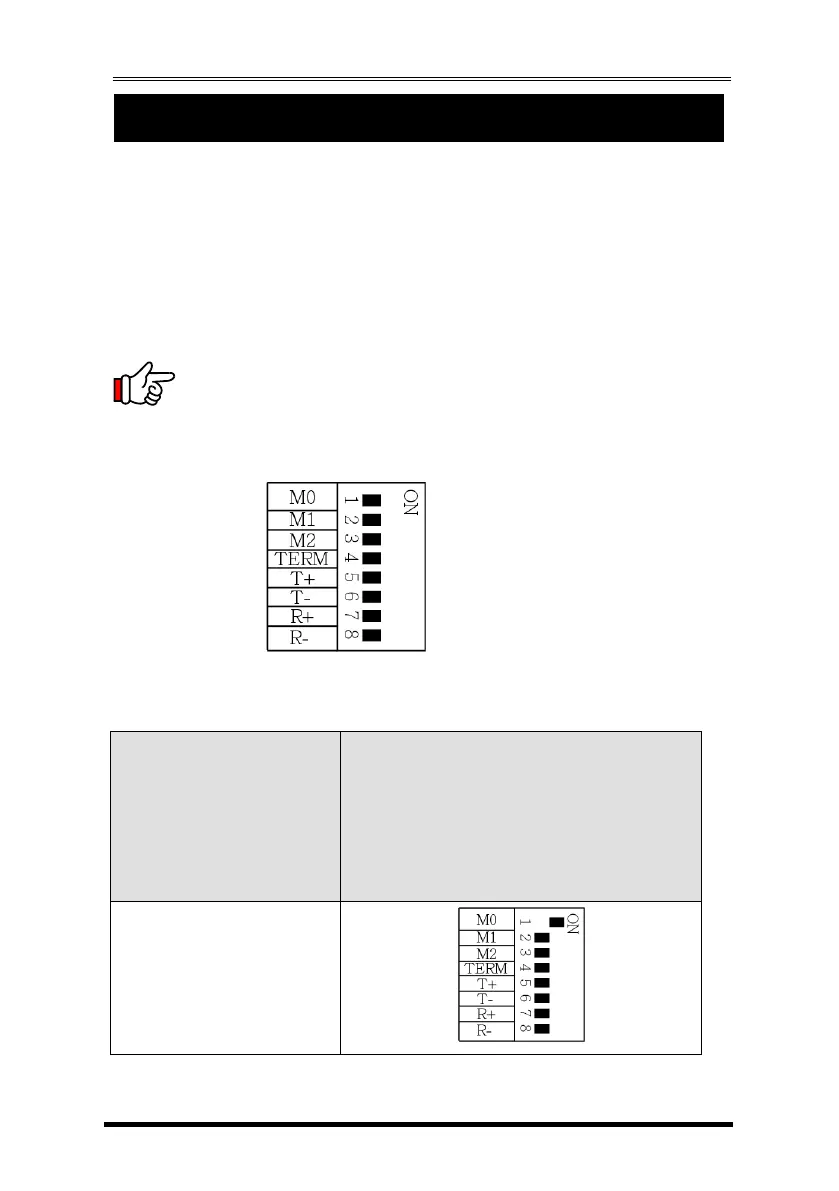
There is an eight 8-pin DIP switch next to the connector for changing the
operating modes, enable/disable terminator and the bias for transmitter and
receiver signals.
1.
Mode Settings:
The DIP switch has 8 pins, the first 3 pins (M0, M1, M2) are for mode settings
(RS232, RS485-2wire, RS485-4wire or RS422 modes), pin 4 (TERM) is to enable or
disable terminator. Pin 5 and 6 (T+, T-) is for biasing TX+ and TX- signals. Pin 7
and 8 (R+, R-) is to enable or disable bias for RX+ and RX- signals.
Note: Pin 4 to 8 are designed for RS422 and RS485 only and should be
set to OFF when you are setting the port to RS232 mode
.


 To Next Page