8-line Digital I/O to Ethernet Adapter
12
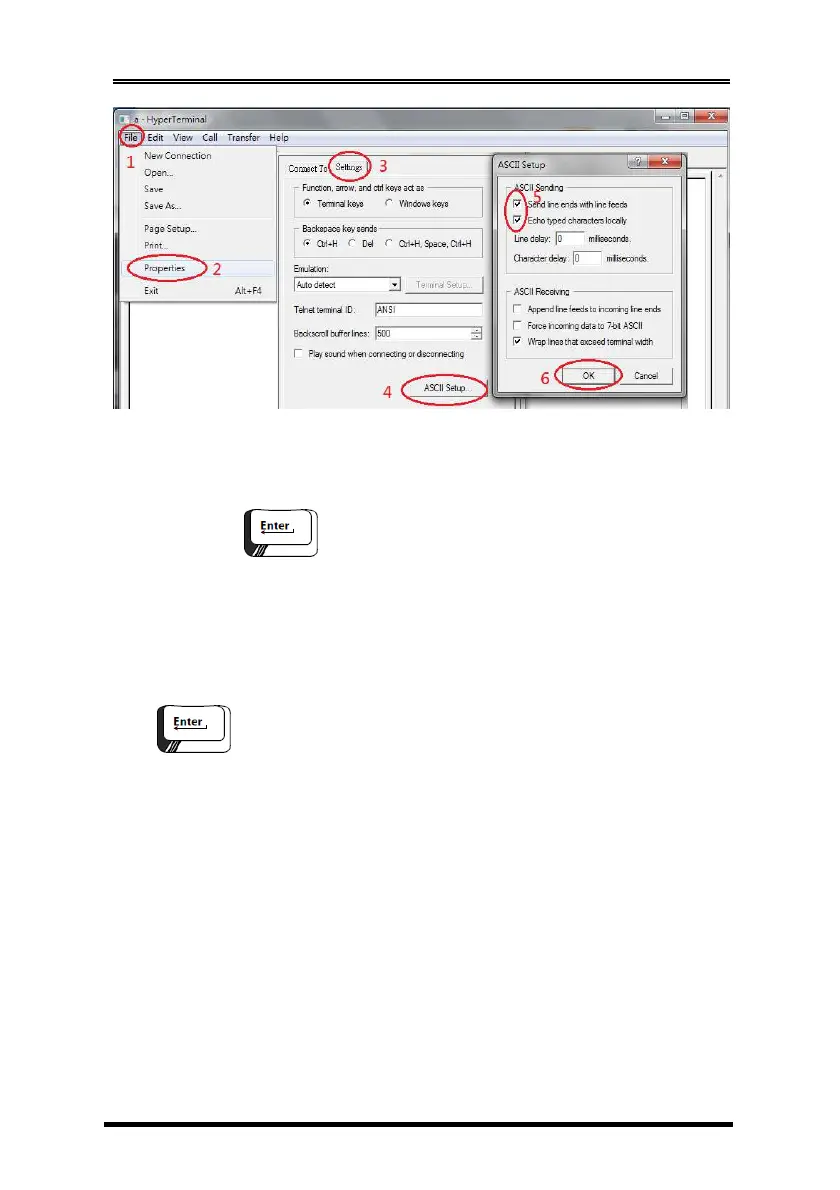
5. At this point you may key in command strings to change the
digital output line state or read their current state. For example:
nnm
where
nn = Output pin number, there are four legal values: 01, 02, 03
and 04
m = 0 or 1, 0 means to drive the I/O pin to LOW state, 1 means
to set the I/O pin to HIGH state.
= Stands for 2 characters, a Carriage-return and
a Line-feed (0x0D and 0x0A)
e.g.
010 change output #1 to low, DO_0 = 0
020 change output #2 to low, DO_1 = 0
011 change output #1 to high, DO_0 = 1
021 change output #2 to high, DO_1 = 1
The following screen shot showed some command practices:


 To Next Page