EXTECHINSTRUMENTS
2CTH10A‐en‐GB_V2.310/15
Introduction
ThankyouforselectingtheExtechModelCTH10ARadioControlledClockwithHygro‐
Thermometerdisplays.TheCTH10Aisareal‐timecalendarClock(12/24hour)thatalsodisplays
temperatureandrelativehumiditymeasurementstakenfromitsinternalenvironmentalsensors.
TheclockcanbesetmanuallyorautomaticallyusingtheRC‐WWVBtimesignal.TheCTH10A
includesanaudible/visibledailyalarmfunctionwith‘snooze’mode.
Thisdeviceisshippedfullytestedand calibratedand,withproperuse,willprovideyearsof
reliableservice.Pleasevisitourwebsite(www.extech.com)tocheckforthelatestversionofthis
UserGuide,ProductUpdates,ProductRegistration,
andCustomerSupport.
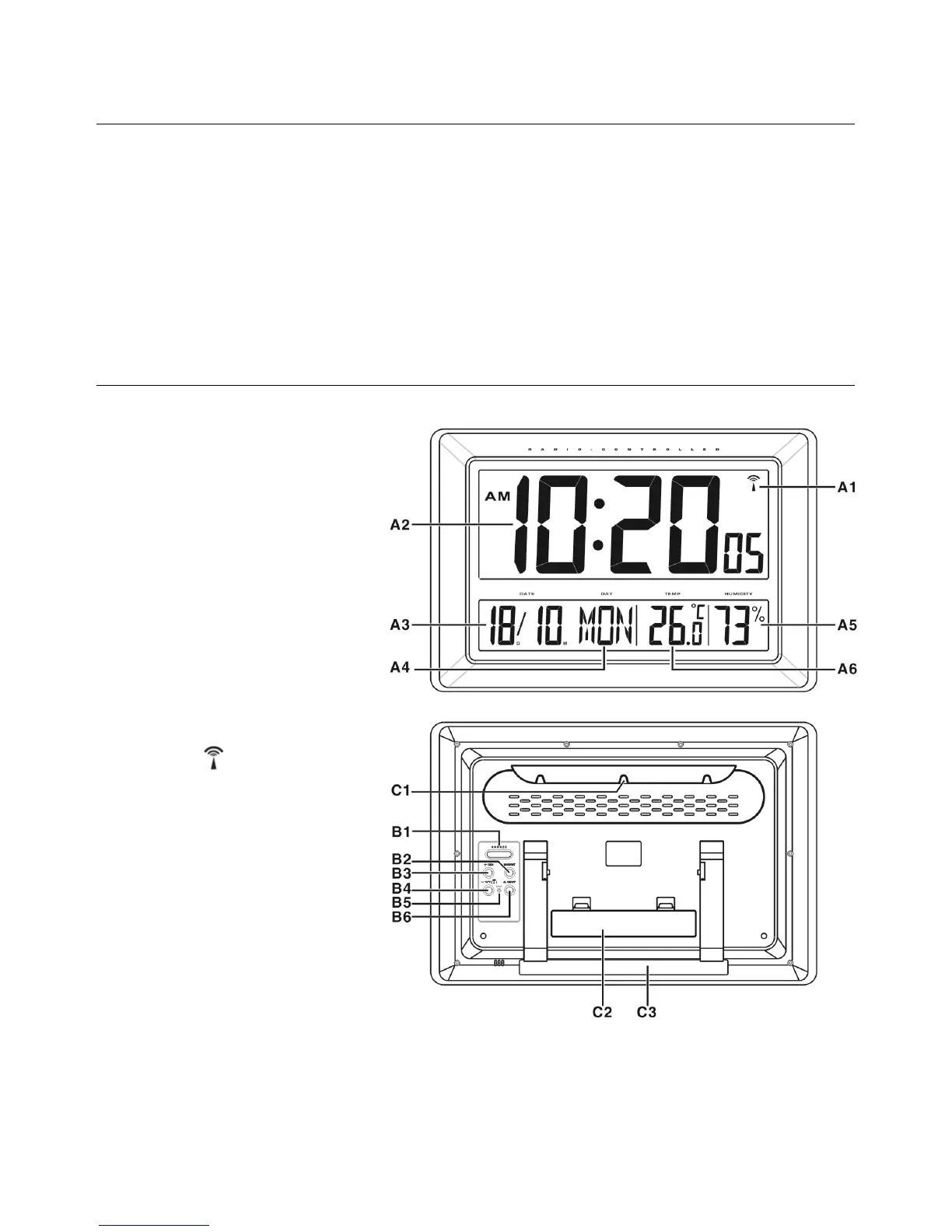
MeterDescription
A1:RC‐WWVBtimesignalIcon
A2:TimeDisplay
A3:Date
A4:DayofWeek
A5:IndoorHumidity
A6:IndoorTemperature
B1:‘Snooze’Button
B2:‘MODE/SET’Button
B3:‘+12/24’Button
B4:‘‐C/F
’Button
B5:‘RESET’Button
B6:‘ALON/OFF’Button
C1:WallMountHole
C2:Batterycompartment
C3:TiltStand


 To Next Page