SET POWER
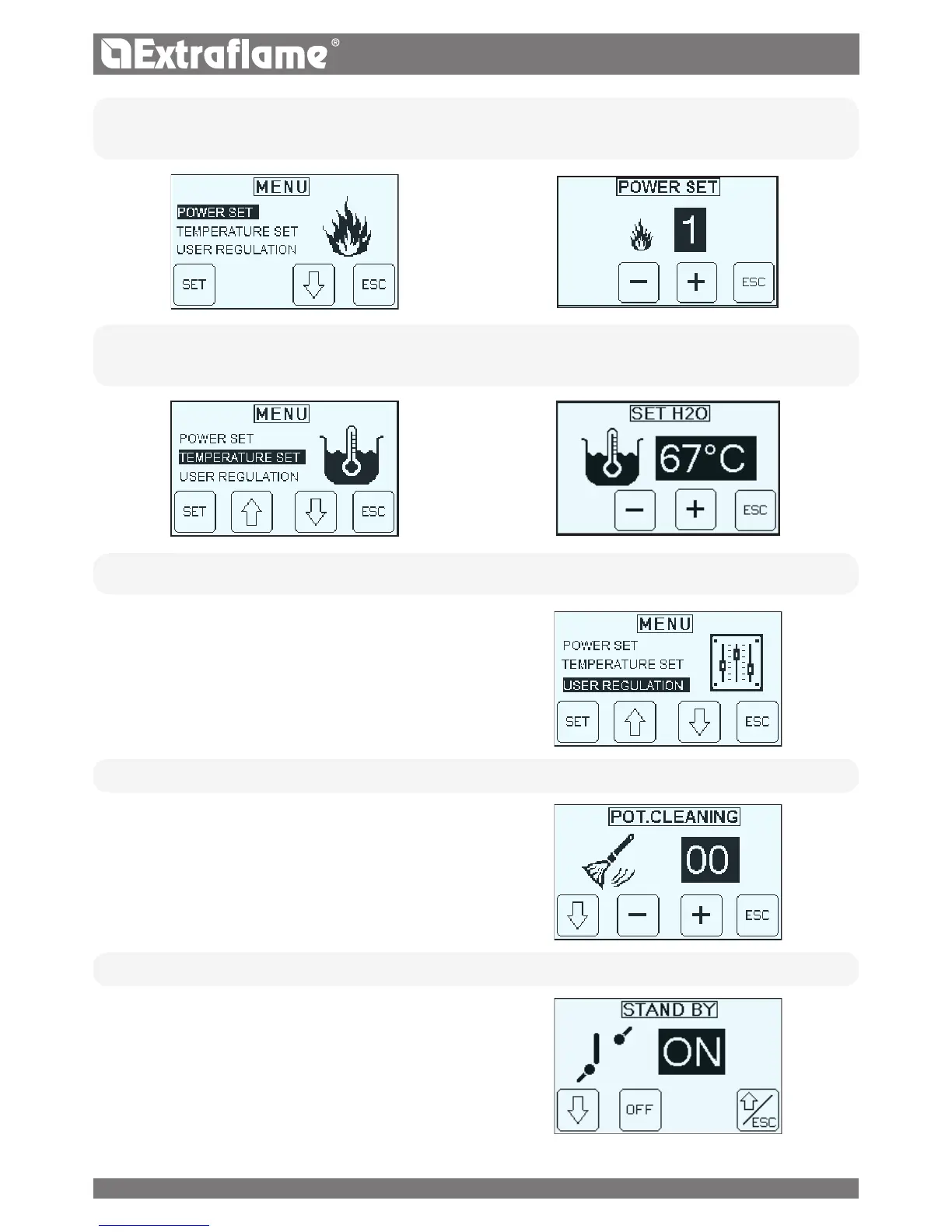
The following menu allows to set the power. Minimum power 1, maximum power 5.
SET TEMPERATURE
The following menu allows the boiler temperature to be set. Possible setting are: 65 - 80°C.
USER REGULATION
The USER REGULATION allows you to:
� Adjust the frequency of the BURNING POT CLEANING
� Enable / disable the STAND BY
� Enable / disable the CHRONO
� Adjust the PELLET in percentage.
• BURN POT CLEANING
The menu allows to increase the frequency of the automatic cleaning
of the brazier. (Range 0-50)
• STAND BY
The Stby function is used if immediate generator switch-o or
modulation via an additional thermostat.
20



 To Next Page